Overriding the Primary Job Selection
To manually select a primary job record, use the Override Primary Job (PA_JOB_OVERIDE) component .
Page Used To Manually Select a Primary Job Record
| Page Name | Definition Name | Usage |
|---|---|---|
|
PA_PRIMJOB_OVRD |
Manually select a job record as primary, overriding the record selected by the system. |
Override Primary Job Page
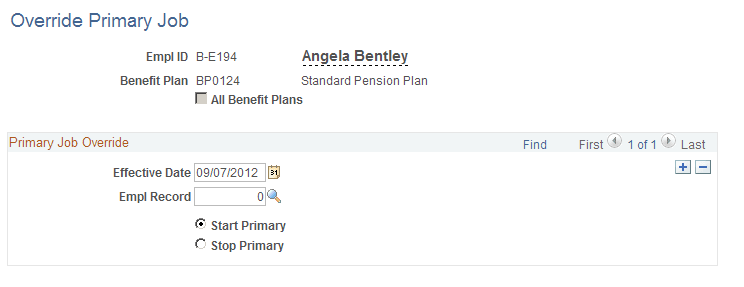
Use the Override Primary Job page (PA_PRIMJOB_OVRD) to manually select a job record as primary, overriding the record selected by the system.
Navigation:
This example illustrates the fields and controls on the Override Primary Job page.
| Field or Control | Description |
|---|---|
|
Empl Record (employee record number) |
Indicate the number of the primary job record. |
|
Start Primary |
Select this option to override the system-designated primary job record and designate another record as primary. This automatically removes the primary status from any other existing record. |