Reviewing Processing Statistics
This topic discusses how to review processing statistics.
Page Used to Review Processing Statistics
| Page Name | Definition Name | Usage |
|---|---|---|
|
PA_PRDIC_RSLTS |
Review processing statistics after running periodic processes. |
Review Process Page
Use the Review Process page (PA_PRDIC_RSLTS) to review processing statistics after running periodic processes.
Navigation:
This example illustrates the fields and controls on the Review Process page.
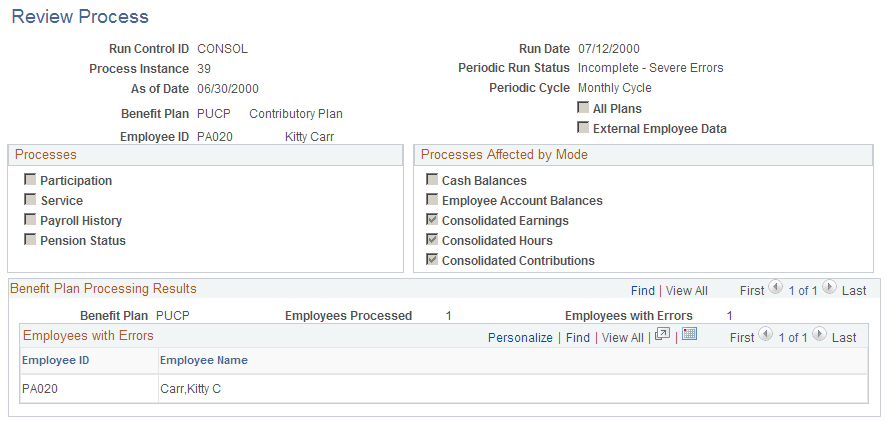
| Field or Control | Description |
|---|---|
|
Run Date and Periodic Run Status |
Indicates whether the job ran and whether it was completed successfully. |
|
Employee ID |
Displays an employee ID and name, a group name, a list name, or an indicator that you processed all employees. |
|
Employees with Errors |
If this text box is empty, then there were no errors. If there are employees with errors, research those errors on the Review Processing Messages page. |
Next to each of the individual processes that are available during periodic processing, the system displays Y (yes) or N (no), indicating whether you ran that process.
Note:
The process instance appears at the bottom of the Periodic Process page while the process is running.