Reviewing Service Purchase Information
This topic discusses how to review service purchase information.
Pages Used to Review Service Purchase Information
| Page Name | Definition Name | Usage |
|---|---|---|
|
PA_SP_TRAN_LOG |
Review the status history of a service purchase transaction. |
|
|
PA_SP_PAYMENTS |
Review a summary of payments made for a service purchase transaction. |
|
|
PA_SP_MSG_SUM |
Review summary information for integration messages. |
|
|
PA_SP_MSG_LOG |
View details related to an integration message. |
|
|
PA_SP_MESSAGES |
Review payment status messages received from PeopleSoft Receivables. |
Review Transaction Log Page
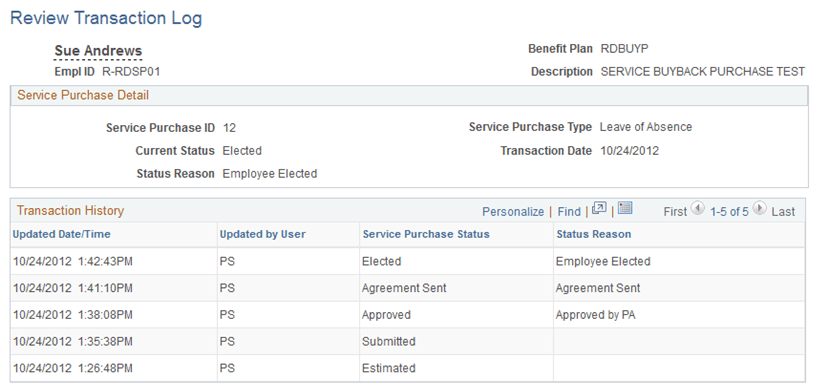
Use the Review Transaction Log page (PA_SP_TRAN_LOG) to review the status history of a service purchase transaction.
Note:
If integration with PeopleSoft Receivables is active, PeopleSoft Receivables creates entries in the transaction log.
Navigation:
This example illustrates the Review Transaction Log page.
Transaction History
This grid displays the transaction’s history of status changes.
Review Payments Page
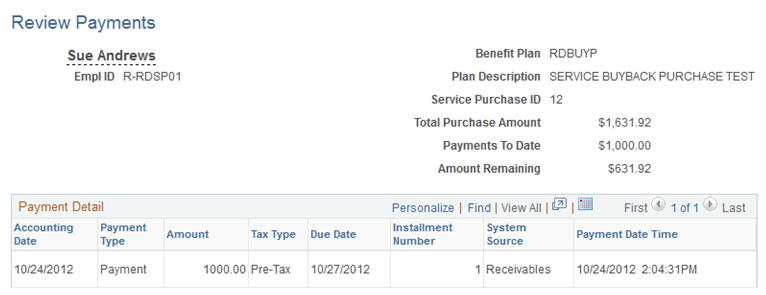
Use the Review Payments page (PA_SP_PAYMENTS) to review a summary of payments made for a service purchase transaction.
Navigation:
-
-
Click the View Payments link on the Purchase Service page. This link is visible when the service purchase transaction is in Elected status.
This example illustrates the Review Payments page.
Payment Detail
This grid lists each payment received from the employee.
When payments are handled through integration with PeopleSoft Receivables, the System Source field displays Receivables, and the integration messages load data into this grid.
Integration Log Page
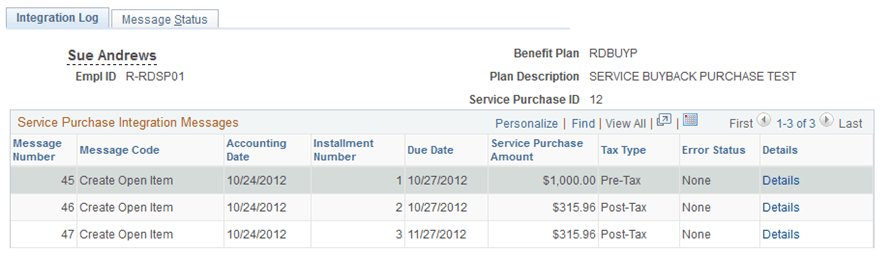
Use the Integration Log page (PA_SP_MSG_SUM) to review summary information for integration messages.
Navigation:
This example illustrates the Integration Log page.
Service Purchase Integration Messages
This grid lists messages sent to PeopleSoft Receivables. Click the Details link to access additional information
Message Status Page
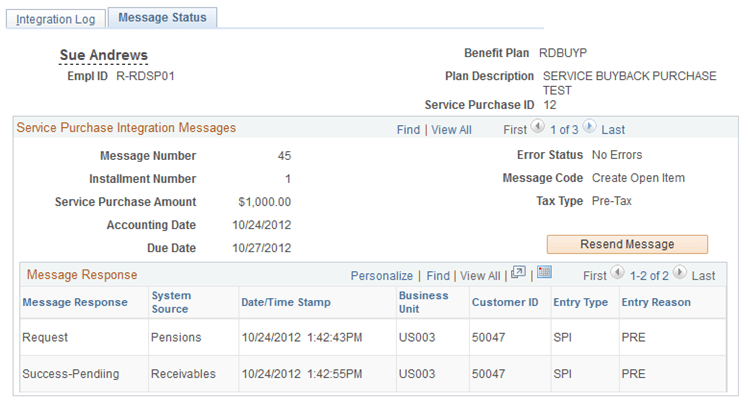
Use the Message Status page (PA_SP_MSG_LOG) to view details related to an integration message.
Navigation:
This example illustrates the Message Status page.
Service Purchase Integration Messages
This scroll area provides detailed information about messages that were sent to PeopleSoft Receivables. Click the Resend Message button to resend a message that previously failed.
Review Process Information Page
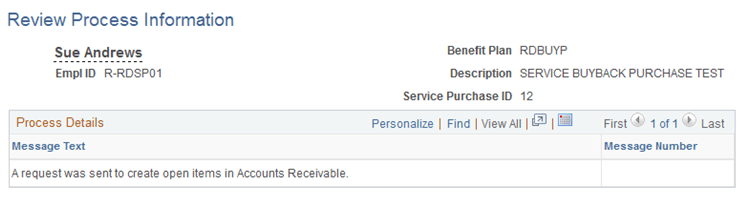
Use the Review Process Information page (PA_SP_MESSAGES) to review payment status messages received from PeopleSoft Receivables.
Navigation:
This example illustrates the Review Process Information page. \
Process Details
This grid lists messages received from PeopleSoft Receivables.