Setting Up HR Action and Reason Categories
To set up action and reason categories, use the Job Event Categories (ACTION_CATEGORY) component.
You can only reference action and reason codes through categories. Even if a category consists of just a single action code or action and reason code combination, you must create the category in order to reference the code in service and consolidation rules.
Page Used to Set Up Action and Reason Categories
| Page Name | Definition Name | Usage |
|---|---|---|
|
PA_HR_CATEGORY |
Create a category and add HR action and reason code combinations. |
Job Event Categories Page
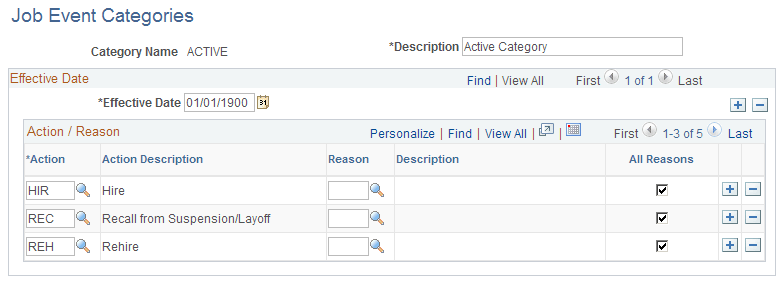
Use the Job Event Categories page (PA_HR_CATEGORY) to create a category and add HR action and reason code combinations.
Navigation:
This example illustrates the fields and controls on the Job Event Categories page.
| Field or Control | Description |
|---|---|
|
Action |
Select the HR action codes to include in the category. |
|
Reason |
Select the specific reason codes to include in the category, or select All Reasons to include all the reason codes in the category. |