Refresh Diversity Analytics Page
Use the Refresh Diversity Analytics page (HRS_RUN_DIVERSITY) to run the two application engine processes that load diversity data into the diversity analytics tables.
Navigation:
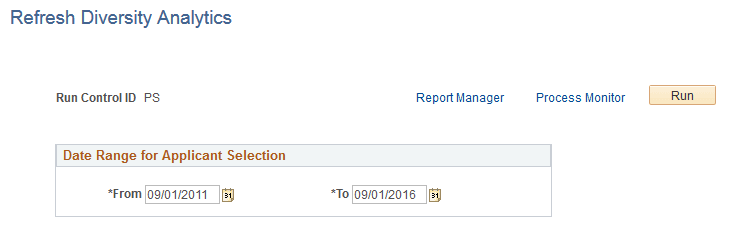
This example illustrates the Refresh Diversity Analytics page.
| Field or Control | Description |
|---|---|
|
Run |
Click this button to access the PeopleSoft Process Scheduler Request page, where you schedule the Refresh Diversity Analytics process, the Refresh Application Diversity process, or both. |
Date Range for Applicant Selection
| Field or Control | Description |
|---|---|
|
From and To |
Specify a date range for the process. The system loads diversity data for applicants who submitted applications (with or without a job opening) within the specified date range. The default date range extends back five years from the current date. |