Setting Up Geo Fencing for Time Entry
You can configure geo-fencing in PeopleSoft Time and Labor, which allows organizations to restrict employee time entry based on physical location. Geo fencing establishes a virtual boundary around worksites or other specified sites, requiring employees to be within a designated area to clock their time. This enhances time tracking accuracy and compliance.
Administrators can configure geofences by:
-
Defining allowed addresses or geo-coordinates for the allowed location, for example worksite.
-
Establishing a tolerance range (the allowable distance from the defined location in meters).
-
Specify the actions to be taken in case of a violation.
-
Associating the geofence with the appropriate group of employees (workgroups).
Enabling Geo Fencing
To enable geo fencing, perform the following:
-
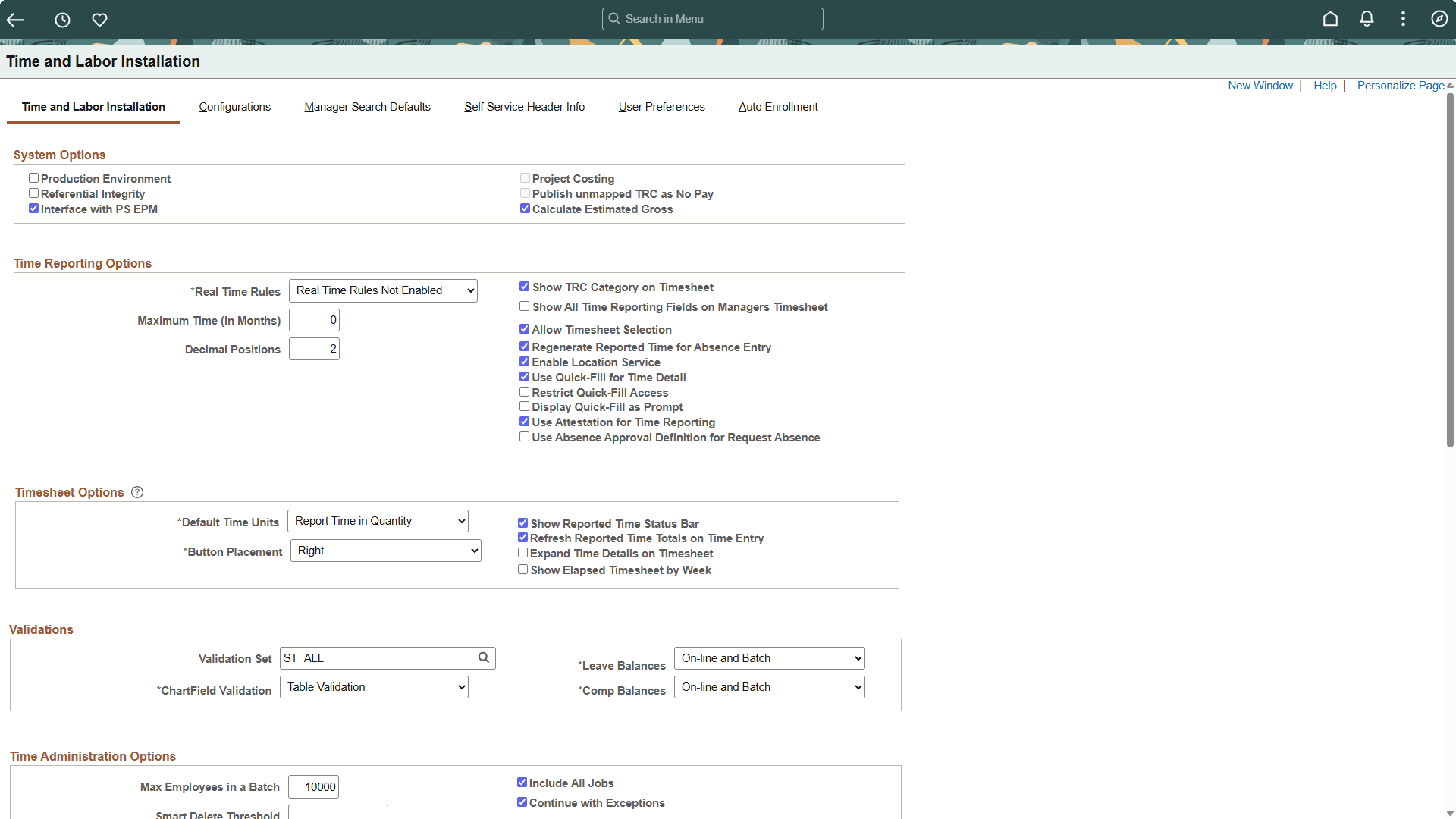
Navigate to the Time and Labor Installation page.
-
Ensure the Enable Location Service check box under Time Reporting Options section is selected.
-
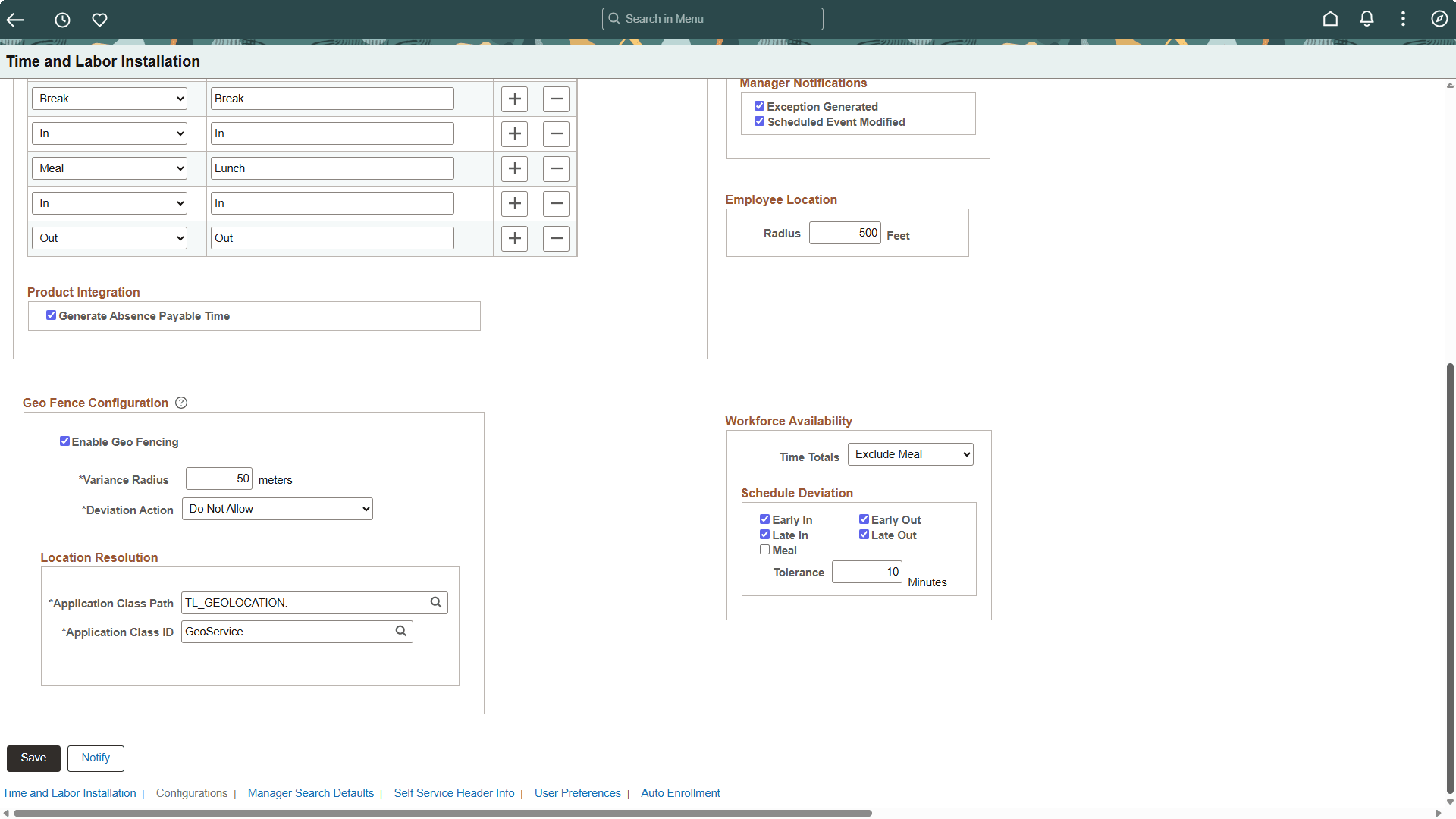
Ensure the Enable Geo Fencing check box under Geo Fence Configuration section in Time and Labor Configurations tab is selected.
-
After enabling geo fencing, configure the following options:
-
Variance Radius
-
Deviation Action
-
Location Resolution
-
For details on time and labor installation settings, see Setting Up System Defaults and Loading Dates.