Understanding the Time Reporting Process
Approved time is managed by resolving exceptions, modifying the time, or adjusting time that has been reported or paid.
You can use system security to determine which pages display for different types of users. For example, you may want a data entry clerk to view only reported or payable time. The User ID for the data entry clerk determines which pages are displayed. In this case, the user can only view time, without making changes. Or, you may want a user to be able to adjust time that has already been paid, but not approve the time. Again, the User ID determines which page appears; in this case, the Adjust page is accessible.
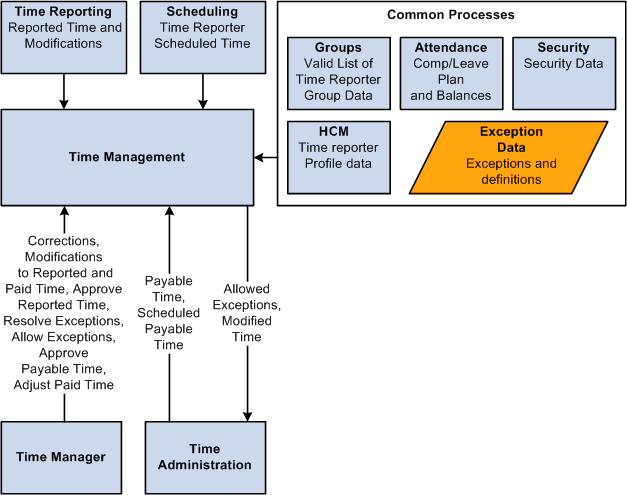
This graphic depicts the interaction between time reporting, scheduling, the time manager, and other common areas within the application with the Manage Time pages