Working with Time and Labor Dashboard
The Time and Labor Dashboard is a collection of pagelets that provides the user with both functional and actionable information. It is summaries of information useful for a manager regarding the managers direct and indirect reports. Using the pagelets, managers can focus on items needing their attention and to act on those items by providing an immediate update from within the dashboard or by transferring to a specific application component.
Video: PeopleSoft Time and Labor Dashboard
Use Time and Labor Dashboard (TL_MNG_APRV_PG_LT) to view a collection of pagelets that provides the user with functional and actionable information.
This example illustrates the fields and controls on the Time and Labor Dashboard.
Navigation:
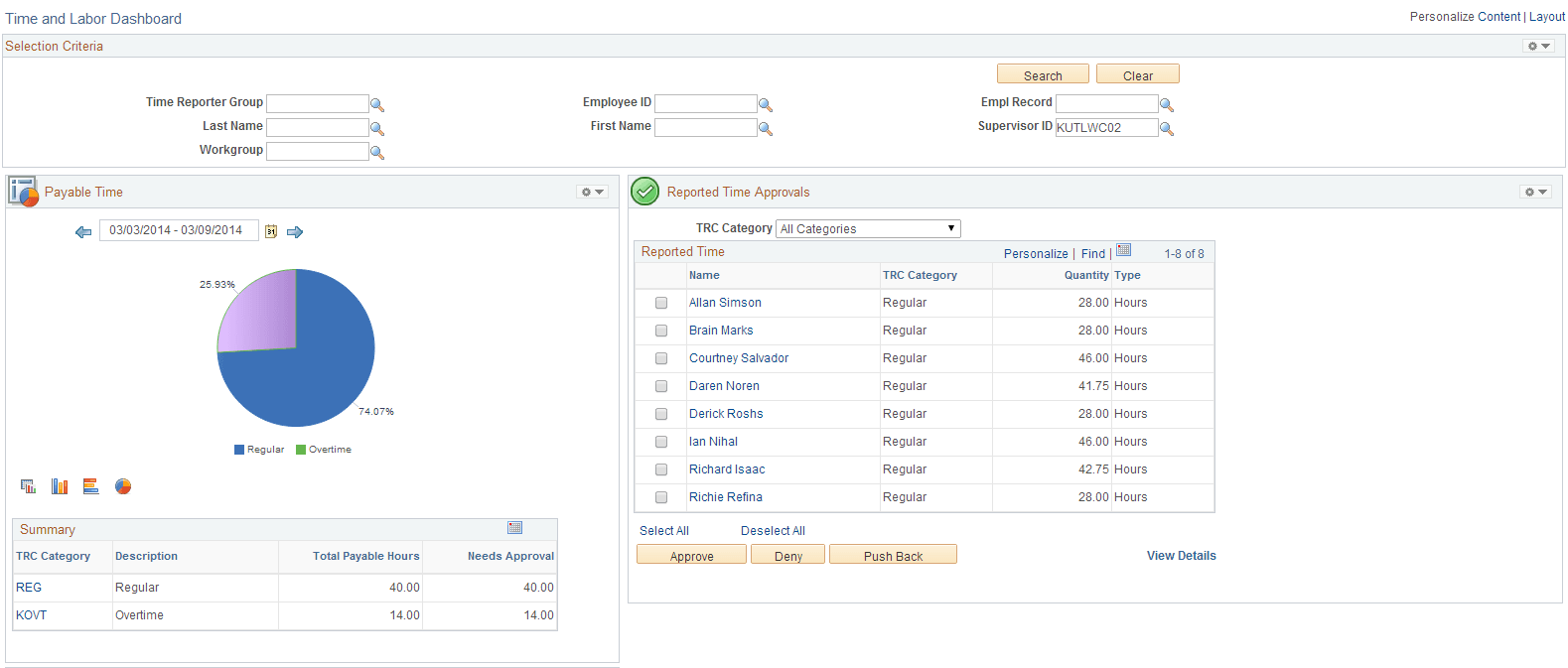
This example illustrates the fields and controls on the Time and Labor Dashboard page 1 of 2.
| Term | Definition |
|---|---|
|
Selection Criteria |
The changes in the fields updates the details in other pagelets. Click Search to update the pagelets. |
|
Reported Time |
This pagelet displays all the Reported Time approval requests categorized by TRC Category. This pagelet lists the employees according to their TRC Category and you can Approve , Deny or Push Back the reported time, if needed. View Detail link shows all the approval details of all the employees. Name is a hyperlink that opens a modal window with the details under the employee for the category. Select All /Deselect Allselects or deselects all the rows on the grid for approval actions – Approve, Deny, and Push Back. |
|
Payable Time |
This pagelet provides the payable time summary and details by TRC or TRC category for a given period of time. The period defaults to the to the current period but can be changed to a different period or date range. |
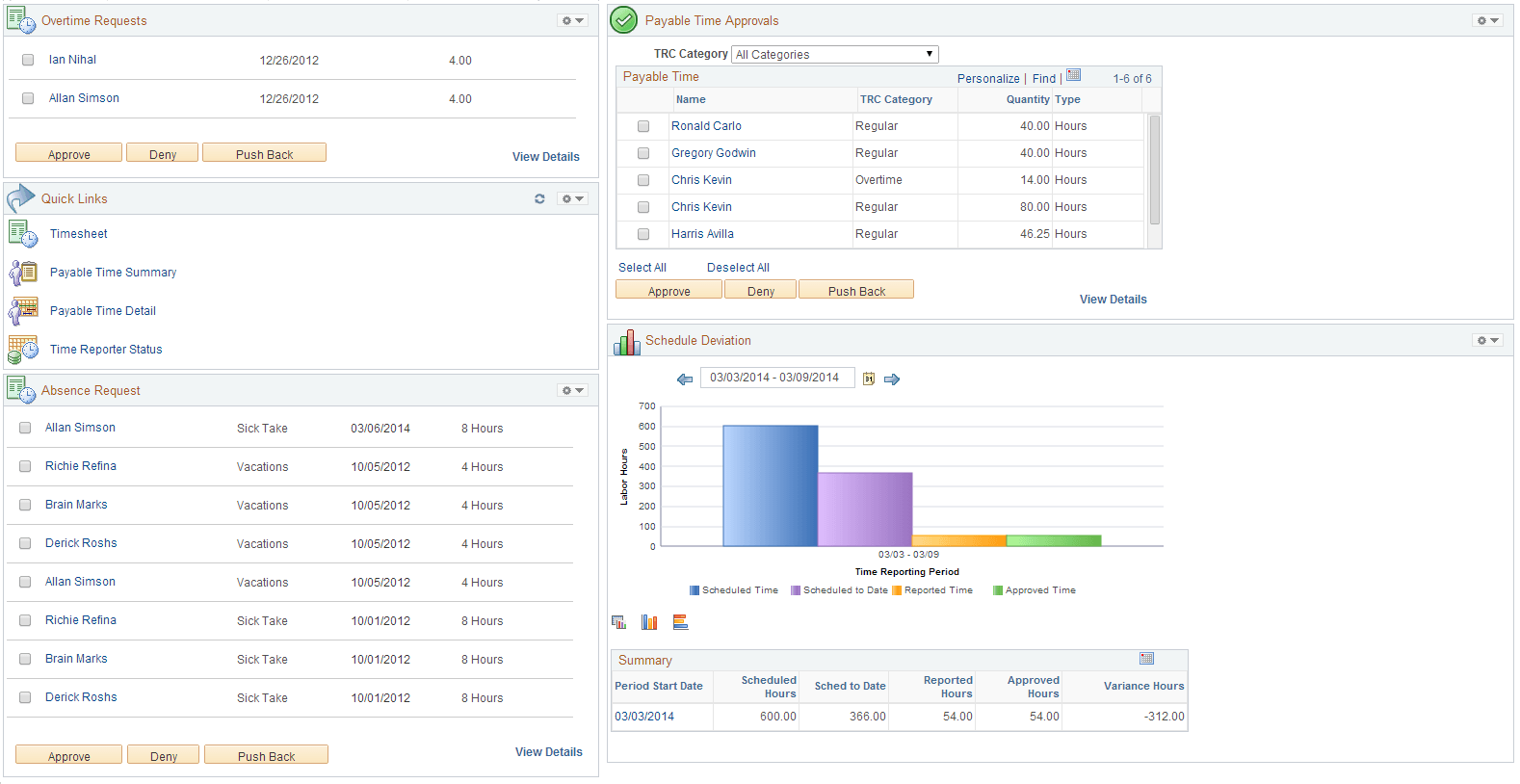
This example illustrates the fields and controls on the Time and Labor Dashboard page 2 of 2.
| Term | Definition |
|---|---|
|
Overtime Requests |
Displays all the overtime approval requests for all the employees that report to the logged in Manager. The default list is controlled by Manager Search options. |
|
Payable Time Approvals |
This pagelet displays all the Payable Time approval requests categorized by TRC Category. This pagelet lists the employees according to their TRC Category and you can now Approve , Deny or Push Back the reported time, if needed. |
|
Schedule Deviation |
This analytic shows data for scheduled, reported, scheduled to date and approved time by time reporting period. The date range is treated ‘as is’, and one set of bars will be shown for each time type (scheduled, reported, and approved). The set of bars (series) are corresponding to TRC Category, so there will be three/ four sets of bars altogether. |
|
Quick Links |
You can navigate to different pages like Timesheet, Payable Time Summary, Payable Time Detail and Time Reporter Status using Quick Links. |
|
Absence Request |
This pagelet lists all the AWE Absence Approval requests that are assigned based on the userid of the person entering the dashboard. This loads all absence approvals that are assigned to one user. This pagelet enables the direct line manager to approve, deny, or push back absence requests. Absence request are generated directly through the Employee/Manager Absence Management or Timesheet pages. For more details, see PeopleSoft Absence Management: Managing Manager Self Service Pages |