1.12.3 Installing ePay on z/OS Platforms
This section details additional instructions to install ePay on z/OS platforms:
-
Enter Installation Options in the keyword input field of the Global Search bar. As you type, the suggestions are updated to reflect the search term or terms you have entered.
-
Select Installation Options from the search suggestions.
Note:
To navigate to the page using the Navbar button, select Set Up HCM, Product Related, Global Payroll & Absence Mgmt, System Settings, Installation Options.
-
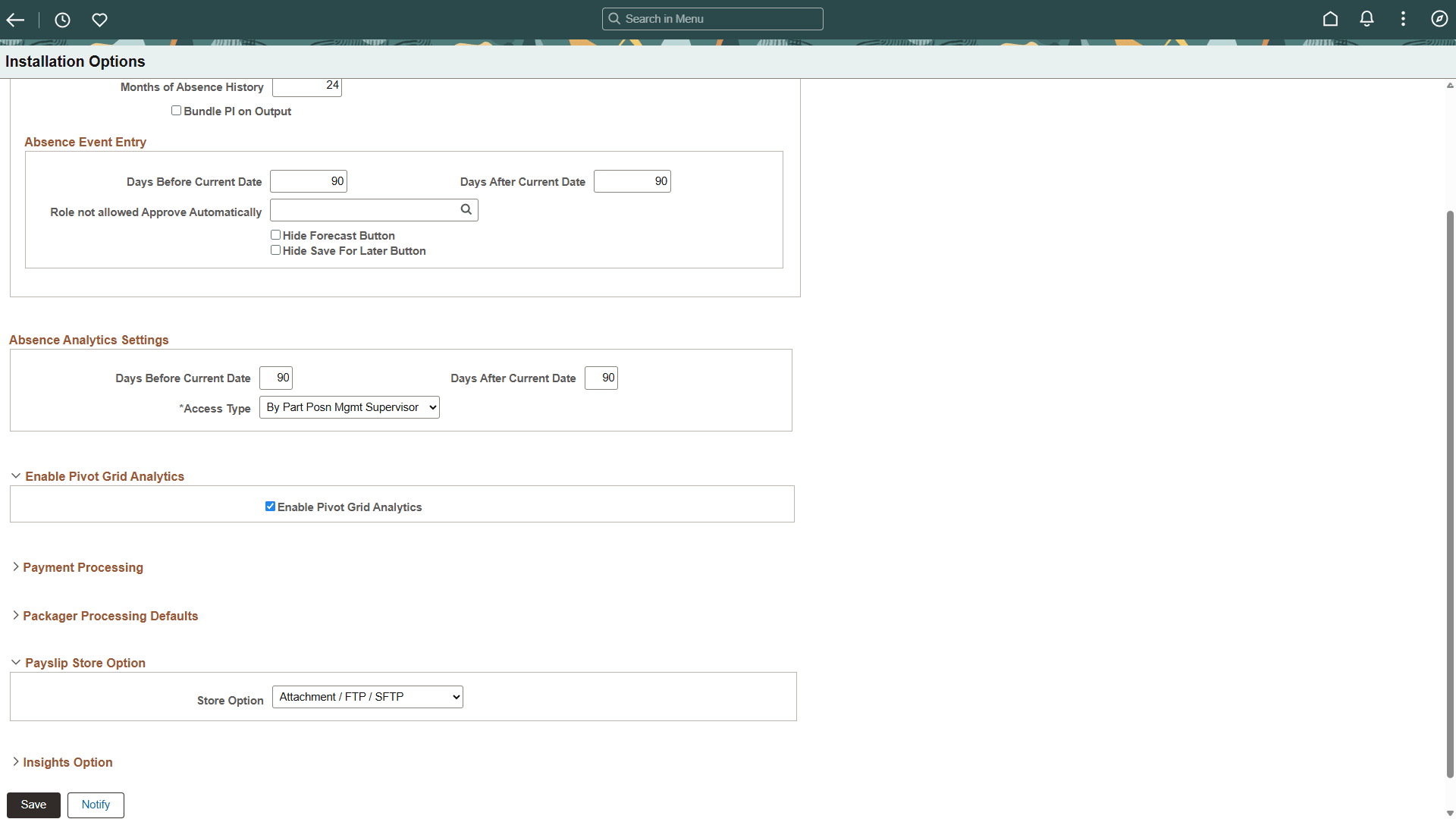
On the Installation Options page, in the Payslip Store Option area, select Attachment/FTP/SFTP from the Store Option drop-down list, as shown in this example:
Figure 1-10 Installation Options page
-
Click Save.