Configuration Types
Page and Field Configurator delivers the following configuration types: Standard, Masking, and Change Tracking.
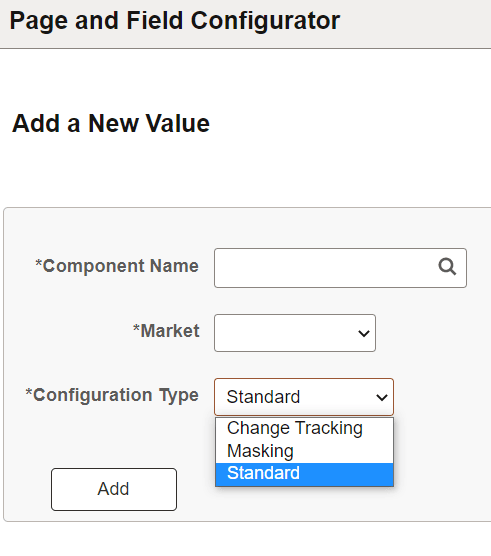
Each configuration type provides a unique set of capabilities and configuration properties for pages and fields. The configuration type is determined using the Page and Field Configurator - Add a New Value page.
This example illustrates the Configuration Type options on the Page and Field Configurator - Add a New Value page
Standard Configuration Type
The Standard configuration type allows you to hide a field or page, change the label of a field, add a default value to a field, make the field or page read-only, mark the field as mandatory and change the prompt record for a field without having to customize delivered application pages.
To configure the component for Standard Configuration Type, see Using Page and Field Configurator.
Masking Configuration Type
The Masking configuration type allows you to mask page fields and search fields based on a chosen mask profile.
To configure the component for Masking Configuration Type, see Masking Data in Page and Field Configurator.
Change Tracking Configuration Type
The Change Tracking configuration type allows you to track information changes made by users. You can display the log of changes to users as related content.
To configure the component for Change Tracking Configuration Type, see Tracking Changes with Page and Field Configurator
You can also notify users when changes occur using Notification Composer with Page and Field Configurator. See Understanding How To Use Notification Composer With Page and Field Configurator