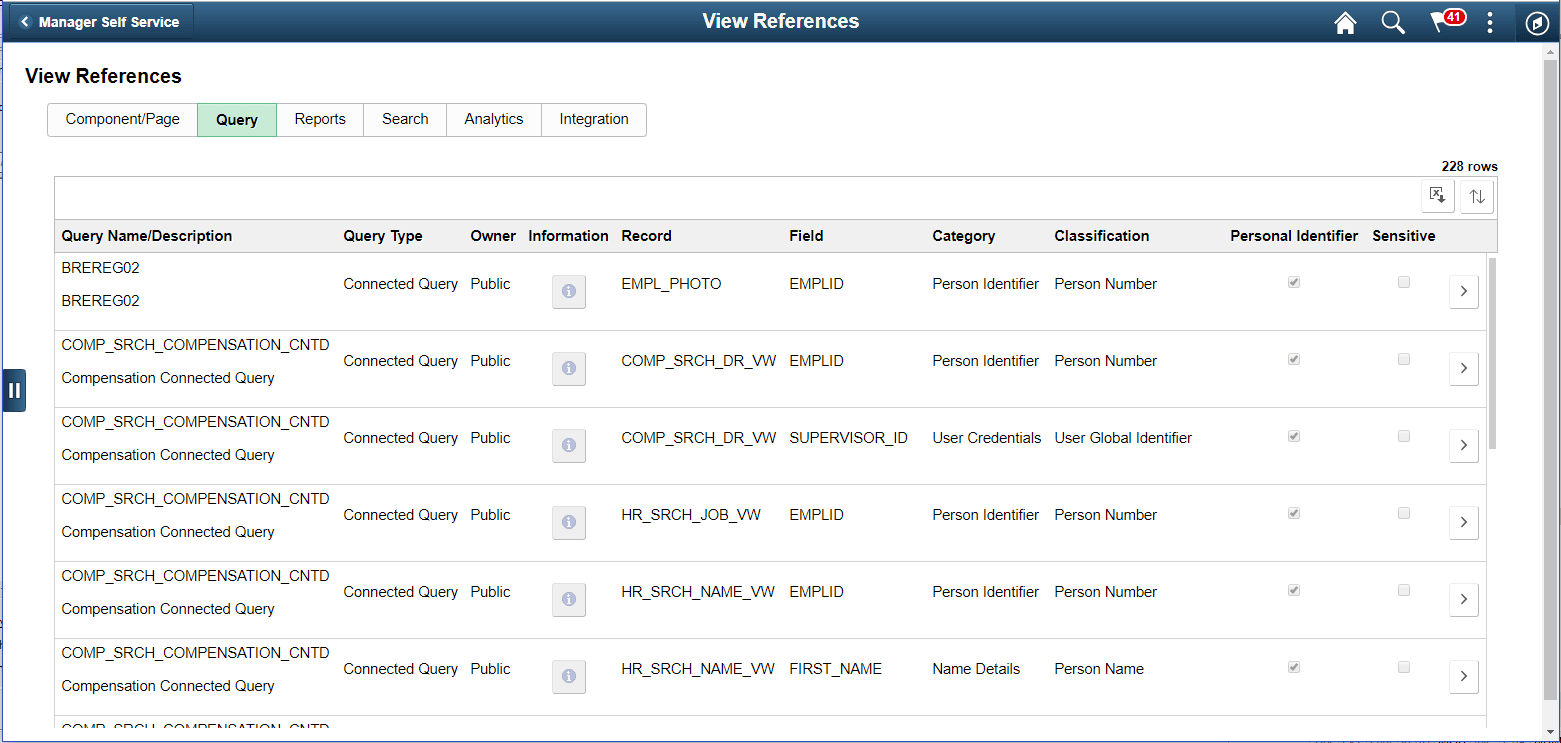
View Reference Page — Query Tab
Use the View References (EODP_VIEW_REF_FL) Query tab to view references for Record Fields in Queries, Connected Queries and Composite Queries.
Navigation:
tab
This example illustrates the fields and controls on the Query tab listing standard query results.
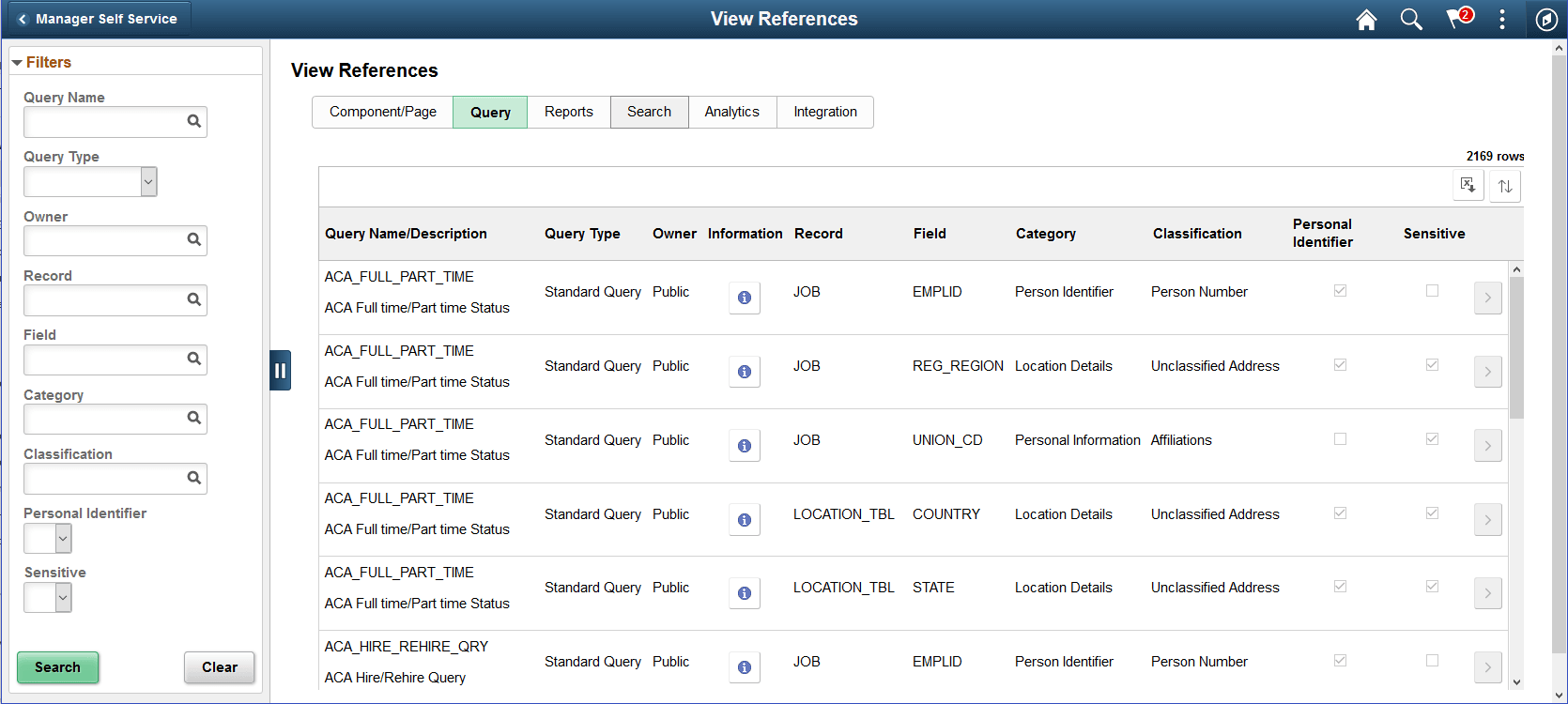
The left panel have Filters listed as follows:
-
Query name
-
Query Type
Query Type has three options: Composite, Connected and Standard.
-
Owner
-
Record
-
Field
-
Category
-
Classification
-
Personal Identifier
-
Sensitive
| Field or Control | Description |
|---|---|
|
|
Select to view the usage of Record Field in the Query. |
|
|
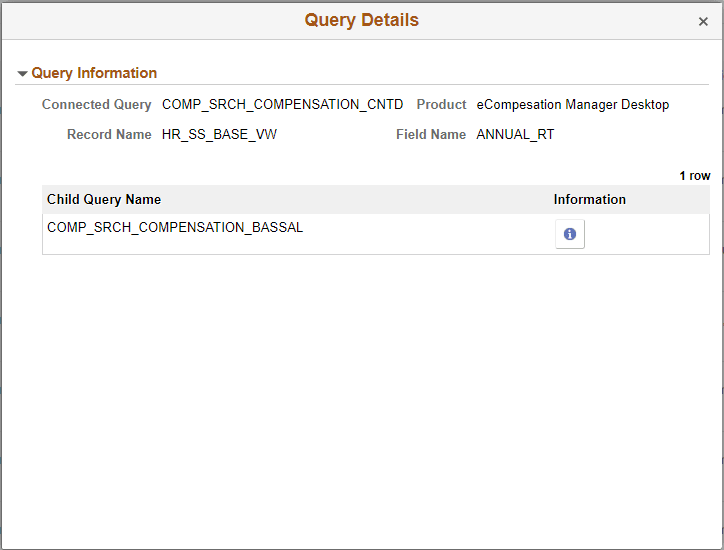
Select to open the Query Details page. Note: The chevron is enabled for Composite Query and Connected Query. |


This example illustrates the fields and controls in Query Details (EODP_QRY_REF_SCF) page.
Note:
For connected and composite queries, the chevron is enabled, and selecting this opens the Query Details modal which displays the child queries that uses the Record Field.
This example illustrates the search result for a type of connected query.