Directory Load Page
Use the Directory Load page (EO_RUNCTL_DS_LOAD) to load directories with PeopleSoft data.
Navigation:
This example illustrates the fields and controls on the Directory Load page. You can find definitions for the fields and controls later on this page.
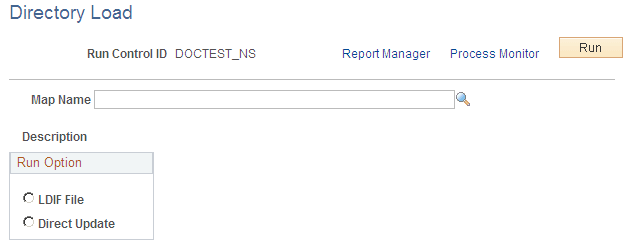
Use this page to run the Directory Load process.
| Field or Control | Description |
|---|---|
|
LDIF File |
Select to have the process send the data to an LDIF file for you to load in the directory. |
|
Direct Update |
Select to have the process directly update the directory. |
|
Run |
Click to run the process using PeopleSoft Process Scheduler. |