Using the Define Accessibility Help Page
The Define Accessibility Help page allows administrators to view and configure the information displayed on the Accessibility Help Viewer page using a rich text editor.
To access the Define Accessibility Help page, select .
Use this page to view or edit existing topics or add new topics in the Accessibility Help Viewer page.
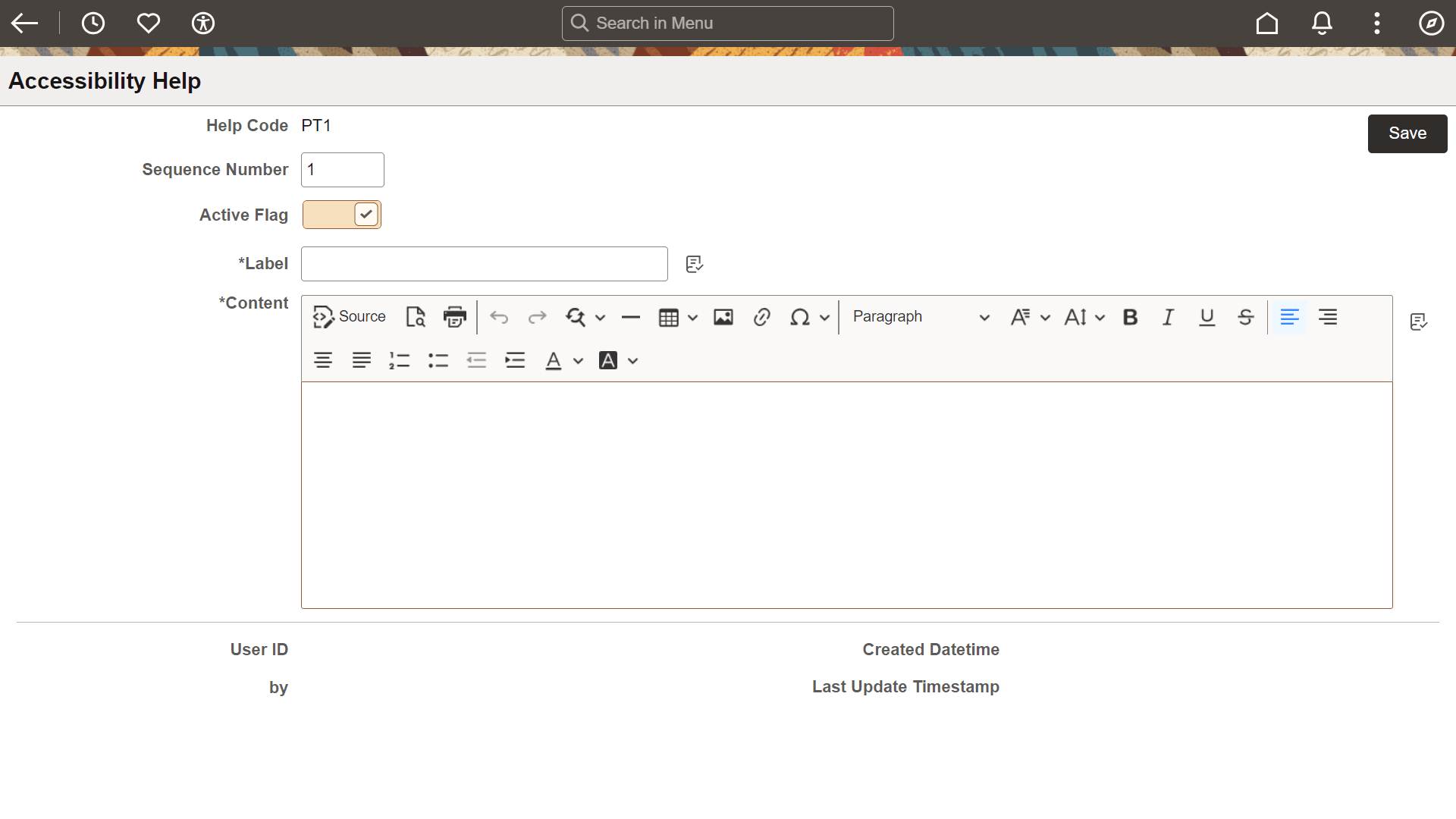
This example illustrates the Define Accessibility Help page. You can find definitions for the fields and controls later on this page.
| Field or Control | Description |
|---|---|
|
Help Code |
Set the internal identifier for the Accessibility topic. The Help Code must be unique. |
|
Sequence Number |
Enter a sequence number to determine the sequence in which the topic will be displayed in the Accessibility Help Viewer page. |
|
Active Flag |
Select to display the topic in the Accessibility Help Viewer page. When disabled, the topic is hidden and does not appear in the Accessibility Help Viewer page. This option is enabled by default. |
|
Label |
Enter a label for the topic. The label appears on the Topic Selection Panel on the Accessibility Help Viewer page. |
|
Content |
Use this section to edit the existing content or enter new content for the Accessibility Help Viewer page. |
|
|
Select the Source button within the rich text editor to directly access the HTML source for the topic to add HTML, CSS, and Aria attributes not provided natively by the editor. |
