Synchronizing Table Versions
Some scenario-managed optimization tables used with an analytic type have a version number field. The analytic server framework maintains a list of the tables and their version numbers. After an upgrade, the version numbers in the upgraded tables might not match the version numbers on this list. You use the Analytic Server Administration - Synchronize Table Versions page (PTATADMIN_SYNCVER) to update the list so the version numbers match.
Navigation:
Note:
Shut down all running analytic server processes before using this page.
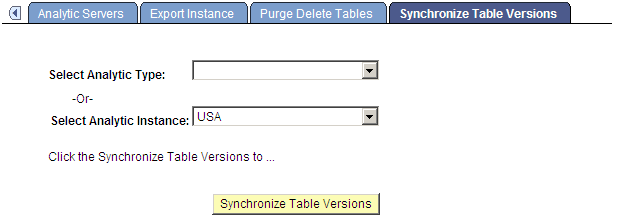
This example illustrates the fields and controls on the Analytic Server Administration - Synchronize Table Versions page. Definitions for the fields and controls appear following the example.
| Field or Control | Description |
|---|---|
|
Select Analytic Type -Or- Select Analytic Instance |
These drop-down lists are mutually exclusive. Select either an analytic type or an analytic instance for which you want to synchronize table versions. |
|
Synchronize Table Versions |
When you use PeopleSoft Data Mover to move data from one database to another, it's often the case that the versions of analytic type or analytic instance data and the PSOPTSYNC table are out of synchronization. Click this button to synchronize the PSOPTSYNC table with the analytic instance tables. |