Accessing Project Definitions
In the Development view, the project folder contains a folder for each definition type included in the project. To open folders and view related definitions, click the expand (+) button. Access project definitions by double-clicking the definition. This example shows the Development view in the project workspace:
This example illustrates the fields and controls on the Example of the Development view in the project workspace. You can find definitions for the fields and controls later on this page.
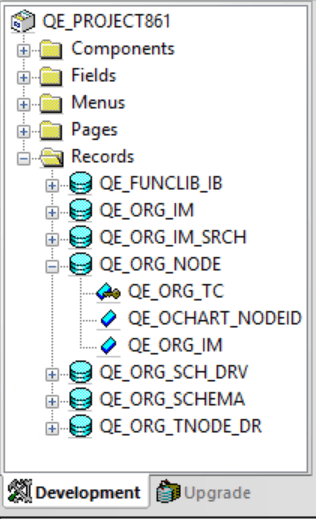
The definitions are organized by definition type and appear in a project tree. The project tree enables you to see all definitions associated with the project and their connection by showing the definitions in an hierarchical format. By expanding definitions that have nested levels, such as records, you can see the field definitions included in that record.