Using the Upgrade View
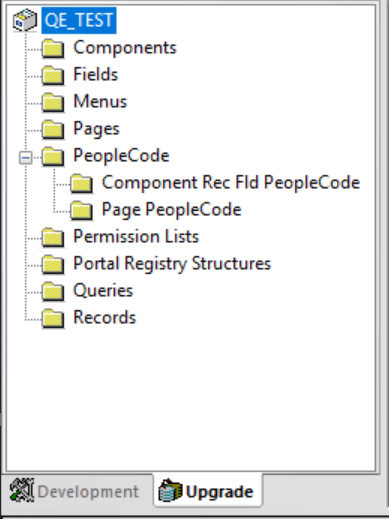
The Upgrade view helps to streamline the migration of definitions—such as records, pages, or PeopleCode—from one PeopleSoft database to another. It displays all of the definitions available for upgrade and the attributes related to the upgrade process. When you double-click a definition type in the Upgrade view, an upgrade definition window appears in the definition workspace, displaying the definitions of that type that are available for upgrade and the associated upgrade options. This example shows the Upgrade view in the project workspace:
This example illustrates the fields and controls on the Example of the Upgrade view in the project workspace. You can find definitions for the fields and controls later on this page.
The Upgrade view is important when you move changes into production and when you upgrade to new PeopleSoft releases. Definitions in development projects and upgrade projects are interchangeable, meaning that users can use the Upgrade view to copy or compare components that were developed in PeopleSoft Application Designer.