Changing Format Families
Custom field formats enable you to create your own format definitions using format notation and apply them to fields. These formats are organized into format families, which can include one or more unique formats.
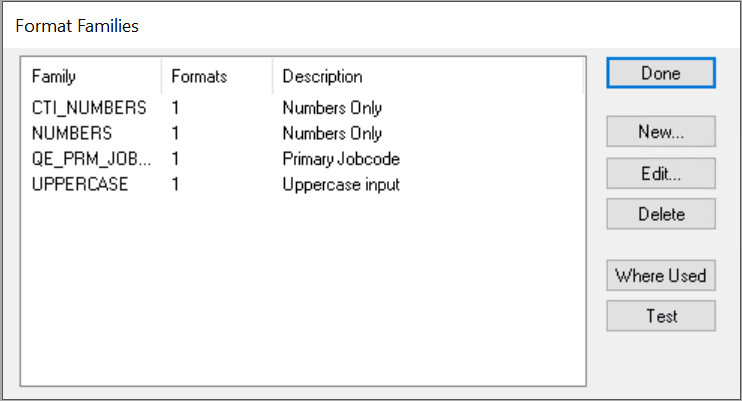
This example illustrates the fields and controls on the Format Families dialog box. You can find definitions for the fields and controls later on this page.
To change format families:
-
Select to access the Format Families dialog box.
The Format Families dialog box lists the defined format families and enables you to edit, delete, or create new families. You can also determine where each family is used in your applications and perform tests.
-
To define a new format family, click the New button.
The New Family dialog box appears.
-
Enter a name for your new format family, and click OK.
The Formats dialog box appears.
-
In the Stored group box, enter a name and format.
This information defines how the format family is to be stored in the database and printed in reports.
-
Enter the format notation that you want to use for storing the data in the Format field.
Because a stored format cannot exist alone, a display format is always required. If you are adding to a family that has existing stored formats, a display name and format pair is optional. PeopleSoft Application Designer automatically places all of the current display formats in the new stored format. The display format default is the stored format that you can redefine later.
-
In the Display group box, enter a name for the format.
This information defines how the format family appears online.
-
Enter the format notation that you want to use for displaying the data in the Format field.
-
Click the Add button to add the new format family, and then click OK when you are finished.
Max Display Length
Max Display Length (maximum display length) enables you to override the default length that PeopleSoft Application Designer uses to determine the length of the edit field in custom format. This setting is useful when the displayed data is longer than the defined field length. For example, you might store data as 999 (field length in the database is 3 characters), but the display format of the data is 9-9-9 (5 characters).
PeopleSoft Application Designer uses the field length of 3, by default, for the edit field, which is not long enough to hold the five characters of the reformatted data. By entering 5 in the Max Display Len (maximum display length) field, the page uses five characters for the edit field without requiring that the field length in the database be five characters long.