Modifying the Rich Text Editor User Interface
The rich text editor extends the capabilities of a long edit box to display rich text or editable rich text at runtime. PeopleTools 8.61 and later versions render the rich text editor based on CKEditor v5. The following topics describe the user interface of CKEditor v5 and its use.
Important:
To stay current with the latest information on rich text editor, subscribe to the following technical bulletin on My Oracle Support: Tech Update - Oracle Replaces CKEditor with ORTL for Rich Text Editing in Latest PeopleTools Releases (Doc ID 3022567.1)
This example illustrates an editable rich text-enabled long edit box at runtime.
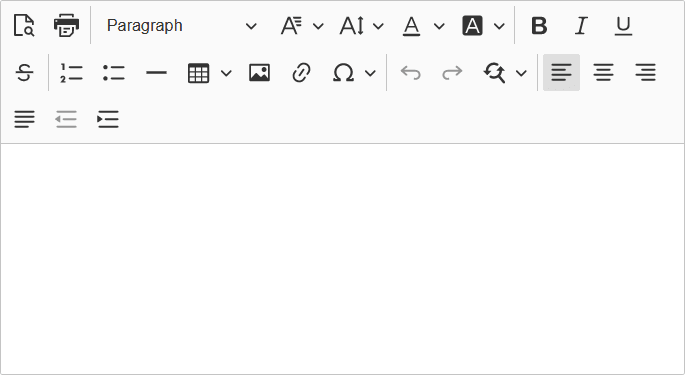
The rich text editor enables you to add rich formatting of text content, including common structural treatments such as lists; formatting treatments such as bold, underline, and italic text; drag-and-drop inclusion; paste-as-text; and sizing of images. The rich text editor toolbar is extensible through the use of HTML definitions that define your configuration, which enables you to design and implement an interface that is specific to the needs of your users.
Important:
Use caution when modifying the rich text editor interface; it is recommended that you never include or enable the Source button in the toolbar.