Moving Fields in the Same Record
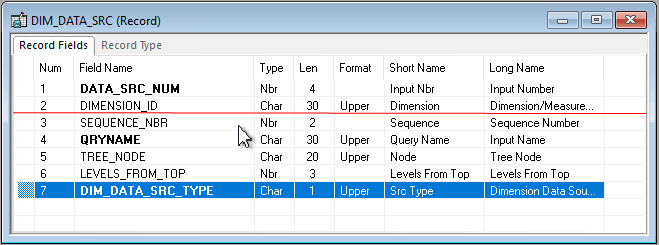
You can move fields in a record by dragging a field to another place in the open record definition. In addition, you can change the visible order of fields by clicking any of the grid headings. In this sample record definition, the DIM_DATA_SRC_TYPE field is being moved to the location that is indicated by the red line:
This example illustrates the fields and controls on the Moving field to new position.
To move a field in the same record definition:
-
Select the field that you want to move.
Press the Ctrl and Shift keys to select multiple fields at once.
-
Drag the selected field number to the new position in the record definition window.
A red line between rows indicates the new placement options as you drag the field. The Num column automatically renumbers the fields.
Note:
The fields are reordered only in the visible display of the record definition, not in the actual table.