Overview of Style Sheets and Style Classes
Style sheets are definitions that store margins, spacing, fonts, borders, color and other layout settings for particular elements of a page. When you use a style sheet, the system applies the predefined layout settings or style classes to every page in an application. By storing all page layout settings in a style sheet definition, you eliminate the need to redefine the same settings for each page separately, you can quickly reconfigure and apply new settings, and you maintain a consistent appearance throughout the application.
In PeopleSoft applications, a style sheet is a definition, like a record or page definition, that you create and maintain in PeopleSoft Application Designer. A style sheet is a standalone definition that you can upgrade, delete, rename, and so on.
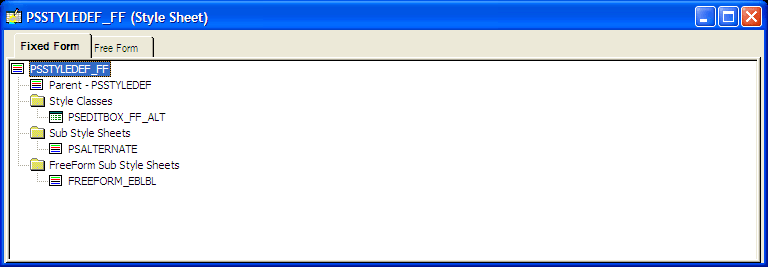
You define style sheets by using the Fixed Form and Free Form tabs.
In this example, you see the Fixed Form tab, which you access to insert style sheets, sub style sheets, free form sub style sheets, or style classes into a definition:
This example illustrates the fields and controls on the Style sheet definition showing the Fixed Form tab. You can find definitions for the fields and controls later on this page.
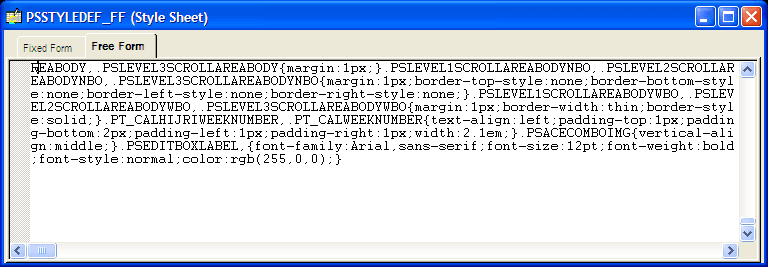
In this example, you see the Free Form tab, which you access to enter text when you create a free form sub style sheet. For standard style sheets and sub style sheets, use this view to examine or copy the text that is generated by the style sheet definition:
This example illustrates the fields and controls on the Style sheet definition showing the Free Form tab. You can find definitions for the fields and controls later on this page.
Note:
For standard style sheets and sub style sheets, the Free Form tab text is read-only.
Note:
Administrators can create HTML definitions (including JavaScript definitions) and free form style sheets, and upload images through portal branding pages (PeopleTools, Portal, Branding Objects), without requiring access to Application Designer. While the administrators cannot directly view or update the definitions created in Application Designer from the branding pages, definitions created with the portal branding pages can be viewed and edited in Application Designer. When creating a new definition using the portal branding pages, if the administrator uses an existing definition name of the same type, the system displays a prompt to overwrite an existing definition when saved.