Resizing Controls
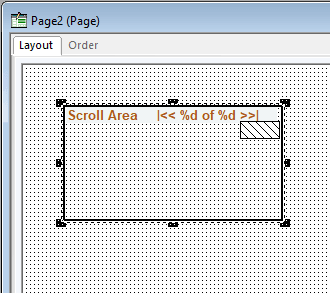
You can adjust the size or shape of any page control that displays selection handles when it is selected:
This example illustrates the fields and controls on the Resizing a control with selection handles.
Note:
Some browsers do not support the resizing of certain control types. In these cases, changing the size in PeopleSoft Application Designer has no effect upon the runtime size of the field.
See Troubleshooting Browser Limitations available on the My Oracle Support website.
To resize a control, use one of these methods:
-
Select the control and drag a handle to adjust the height or width.
Note:
For some control types, you can adjust only the width.
-
Hold down the Shift key while pressing the Up Arrow, Down Arrow, Left Arrow, or Right Arrow key.
The frame size is adjusted one grid unit in the indicated direction.
Note:
The position of the top, left corner of the frame does not change; resizing with the keyboard occurs by adjusting the position of the bottom, right corner.