Specifying Border Attributes
Access the class dialog box and select the Border tab.
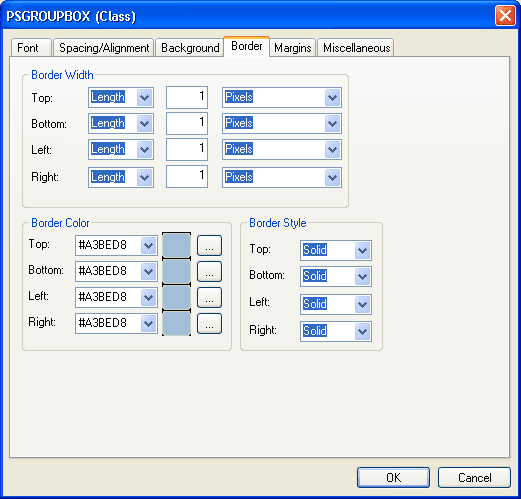
This example illustrates the fields and controls on the PSGROUPBOX (Class) dialog box: Border tab. You can find definitions for the fields and controls later on this page.
| Field or Control | Description |
|---|---|
|
Border Width |
Specify the width of each line in the border. Values are: Thin, Medium, or Thick, or you can specify Length, which enables you to specify a font size (with a number) and the measurement type from the drop-down list box (Pixels, Inches, Millimeters, and so on). |
|
Border Color |
Specify the color of each line in the border. You can specify a hexadecimal value for the color or select the color from a color palette. |
|
Border Style |
Specify the style of line in the border. Values are: None: No border is drawn (regardless of the <border-width> value). Dotted: Border is a dotted line that is drawn on top of the background of the element. Dashed: Border is a dashed line that is drawn on top of the background of the element. Solid: Border is a solid line. Double: Border is a double line that is drawn on top of the background of the element. The sum of the two single lines and the space between equals the <border-width> value. Groove: Border is a three-dimensional groove that is drawn in colors based on the <color> value. Ridge: Border is a three-dimensional ridge that is drawn in colors based on the <color> value. Inset: Border is a three-dimensional inset that is drawn in colors based on the <color> value. Outset: Border is a three-dimensional outset is that is drawn in colors based on the <color> value. |