Using Pop-up Menus
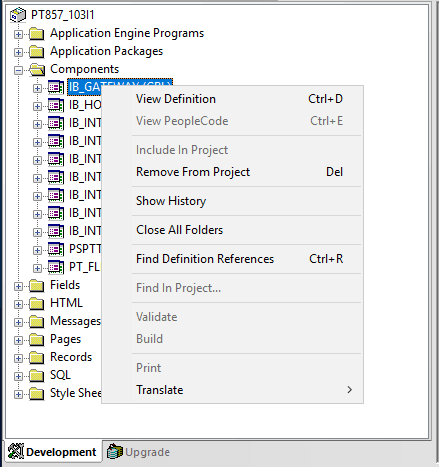
Pop-up menus are context-sensitive menus that appear at the current location of the mouse pointer whenever you click the alternate mouse button (typically, the right mouse button). They provide efficient access to numerous PeopleSoft Application Designer commands. Because pop-up menus appear at the current location of the pointer, they eliminate the need to move the pointer up to the menu bar or to a toolbar. A pop-up menu contains only the commands that apply to the selected definition or the current context. This example shows the component definition pop-up menu:
This example illustrates the fields and controls on the Example of the Component definition pop-up menu. You can find definitions for the fields and controls later on this page.