Setting Advanced Properties
Select the Advanced tab.
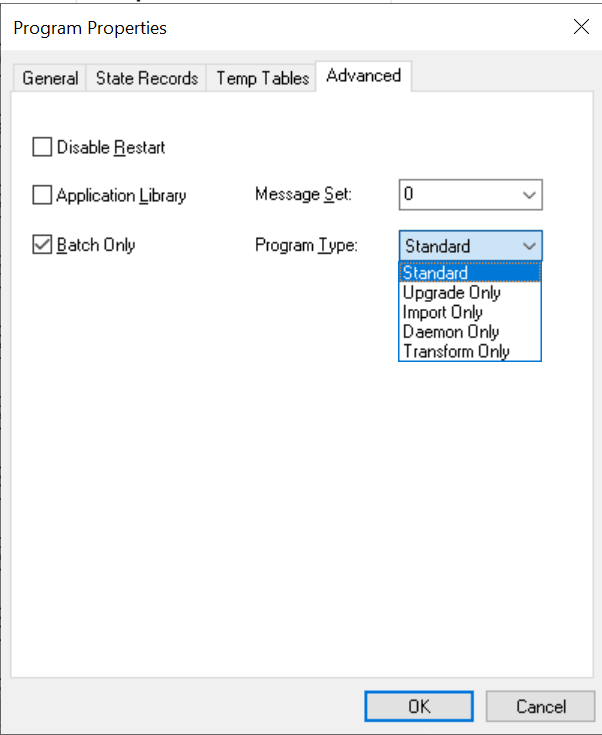
This example illustrates the fields and controls on the Program Properties dialog box: Advanced tab. You can find definitions for the fields and controls later on this page.
| Field or Control | Description |
|---|---|
|
Disable Restart |
Select to disable the built-in restart capabilities for a particular program. |
|
Application Library |
In some cases, you may want a program to contain only a collection, or library, of common routines (in the form of callable sections) that you do not want to run as a standalone program. When sections are defined as public, other programs can call the sections, or routines, that exist in the library at runtime. Because this type of program is not designed to run as a standalone program, it does not require the MAIN section, or initial entry point. Select this check box to rename or remove any existing MAIN section. Note: An application library is the appropriate location to store a collection of shared Application Engine program sections. Libraries are not intended for storing a specific SQL action within a section. To share common SQL, use the SQL repository. |
|
Batch Only |
Select for batch-only programs. Batch-only programs are not run from the CallAppEngine PeopleCode function. Any dedicated temporary table used for batch-only programs does not have online instances created. |
|
Message Set |
Specify the default message set value for this program. The system uses this message set value for all Log Message actions for which the message set is not specified. |
|
Program Type |
Select from:
|