Setting Options in PeopleSoft Configuration Manager (two-tier mode)
For processes running on a Microsoft Windows workstation, you can enable Log analyzer for Application Engine by setting trace options using the Trace tab in PeopleSoft Configuration Manager. This procedure is valid only if you are running Application Engine programs on a Microsoft Windows workstation in a development environment.
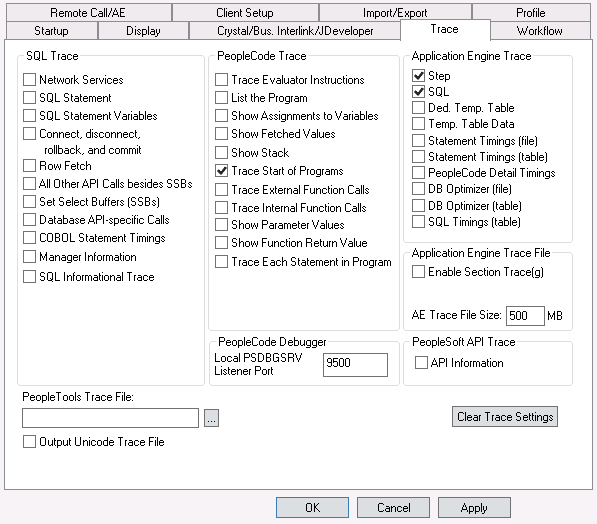
This example illustrates the fields and controls on the Enabling Log Analyzer for Application Engine by setting options in Configuration Manager. You can find definitions for the fields and controls later on this page.
To set options in PeopleSoft Configuration Manager (two-tier mode):
-
Start Configuration manager, and select the Trace tab.
-
Under PeopleCode Trace, select Trace Start of Programs.
-
Under Application Engine Trace, select Step and SQL.
-
Click either the Apply or OK button to set trace options.