Specifying Where and When to Run Reports
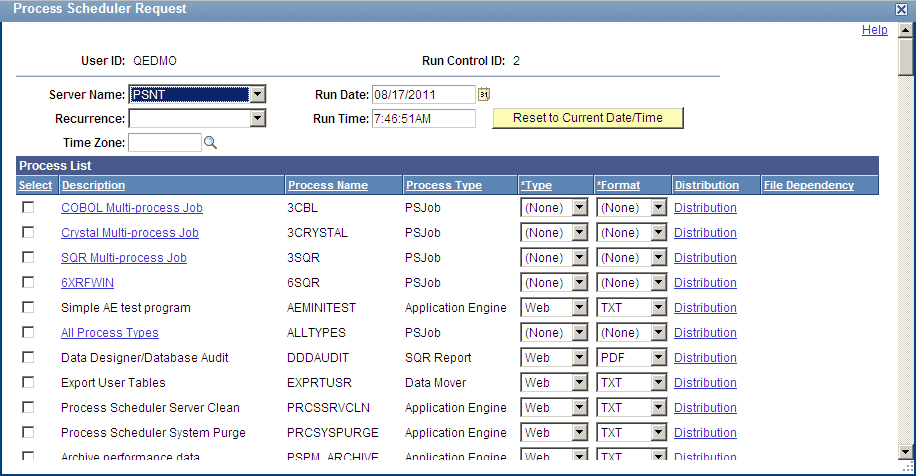
You submit a process request from the Process Scheduler Request page. This page displays the options that you have selected for a particular process request and which processes are available for you to submit. Select the options that you want to use for running your process and select the check box for each process that you want to run. Click OK to queue your process request.
The options available to you on this page are determined by your security profile. For example, each end user has a user profile, which is linked to one or more roles. Roles define groups or types of end users, such as payroll clerks, sales staff, or managers. Each role has one or more permission lists that control what a user can access. You can run only those processes that are associated with your permission list. For example, if you are in the human resources department, you probably belong to a human resources role and, therefore, can run only human resources processes. The number of processes that appear in the list on the Process Scheduler Request page is directly associated with your security profile.
Select the run options that you want to use to run your process. Depending on your security, you can select the server and the run date and time variables for your process. In the Process List group box, select the check box for each process that you want to run.
This example illustrates the fields and controls on the Process Scheduler Request page.