Understanding Data in Scroll Areas
In a scroll area, each self-contained occurrence represents one row of data in a database. Within a scroll area, the fields might be randomly arranged rather than arranged like a spreadsheet. These field groupings, although not necessarily displayed in a row, should still be considered as rows of data in a database.
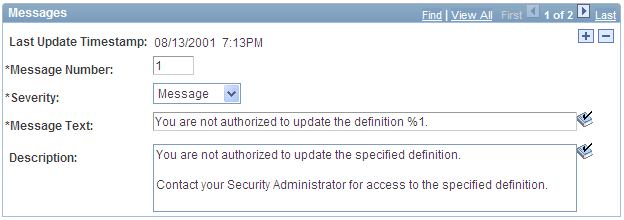
A scroll area looks like a group box with navigation buttons and links in the navigation header. Scroll areas do not contain scroll bars. Instead, you use the buttons and links in the navigation header to scroll through the data rows.
You click the Insert Row (+) and Delete Row (-) buttons to enter data and remove data from the database tables.
This example illustrates the Messages scroll area.