Using Classic Activity Guides
Classic activity guides require an activity guide pagelet, which is the interface that presents the activity guide and its tasks to a user. The pagelet lists tasks in order and can optionally include a status bar indicating completion progress. Classic activity guides and pagelets must be accessed through a classic WorkCenter.
Activity Guide Icons and Controls
This table describes the icons and controls for a classic activity guide:
| Field or Control | Description |
|---|---|
|
|
Indicates the task has not been started. |
|
|
Indicates you have visited the task and it is in progress, but it is not complete yet. |
|
|
A red asterisk displays to the left of each required task. If a step is not required, the status can be changed from Not Started to Visited. |
|
|
Indicates you have completed the task. |
|
|
Indicates that a required task is not yet complete. In addition, it designates a summary task that has required detail tasks that are not yet complete. |
|
|
Indicates a task that is past its due date. |
|
|
Indicates that the task is dependent on the completion of one or more tasks or steps and cannot be started yet. Click the task to view the dependencies. |
|
|
Click to expand a summary (parent) task, and view its subordinate tasks. |
|
|
Click to collapse a summary (parent) task, and hide its subordinate tasks. |
|
|
Click this button to navigate to the next step. |
|
|
Click this button to navigate to the previous step. |
 Task is not started
 Task is visited
 Required
 Task is completed
 Task is in progress
 Task is overdue
 Task is dependent
  Expand
 Collapse

Classic Activity Guide Examples
This section shows several examples of classic activity guides.
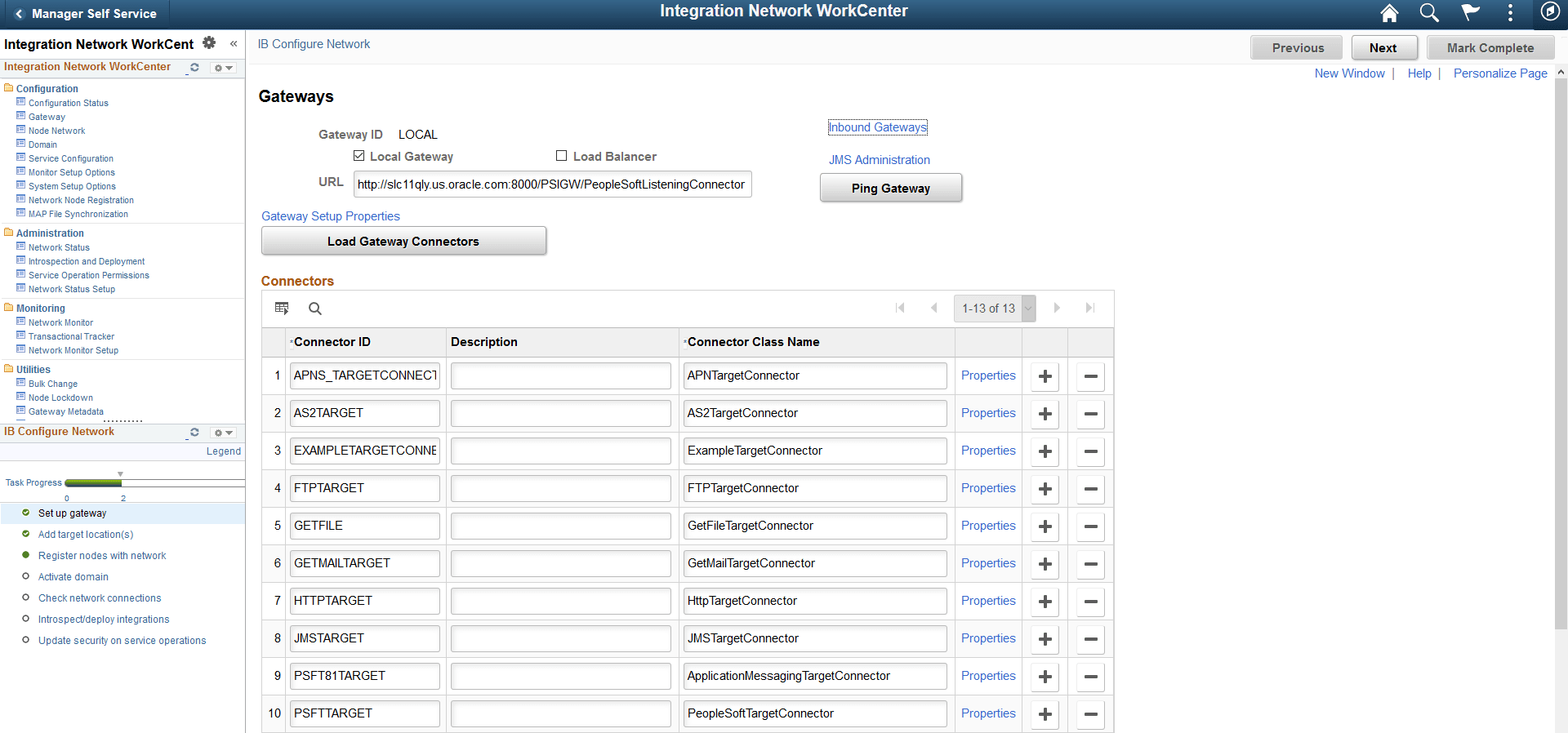
This activity guide contains tasks to configure Integration Broker (IB). In this example, the IB Configure Network Activity Guide pagelet appears in the pagelet area of the Integration Network WorkCenter page, with the Gateways page in the target content area. In this example, the first task has been completed, but none of the other tasks has been visited.
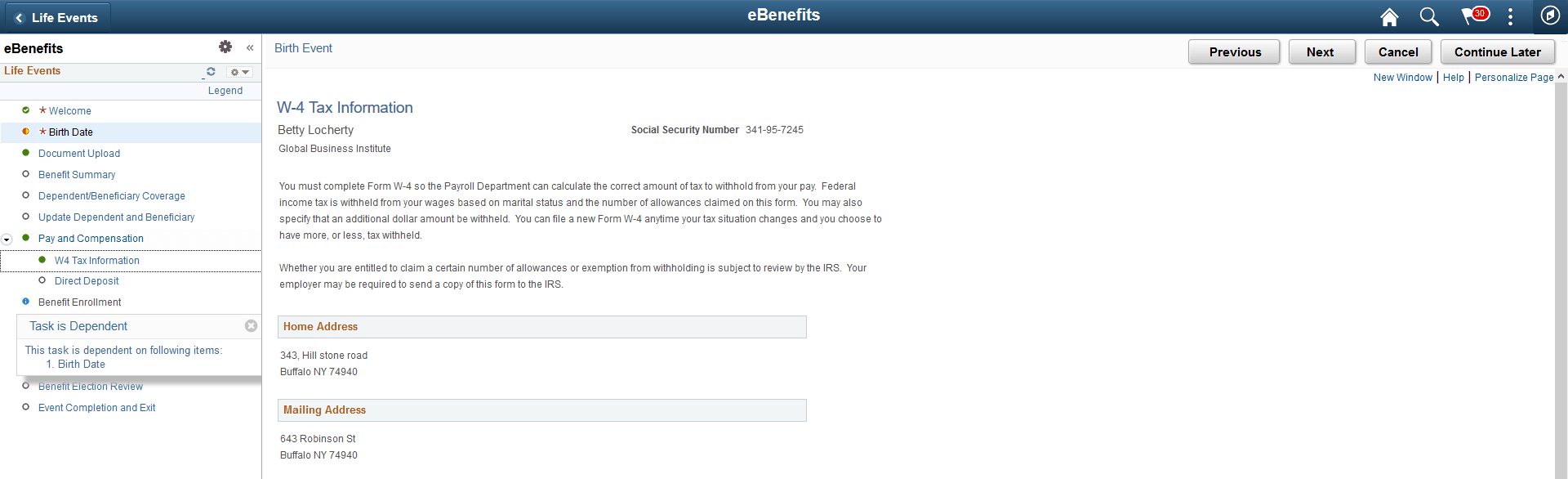
This example shows a Life Events activity guide. This activity guide includes required tasks, which are indicated by an asterisk, as well as the summary task Pay and Compensation (expanded) and a dependent task, Benefit Enrollment. The Benefit Enrollment task is dependent on the completion of Birth Date task, which is currently in progress.