Using Drop-Down Menus
Drop-down menus are an intuitive, nonlinear way to navigate PeopleSoft applications and access your application data. Drop-down menus appear at the top of your browser, above the transaction page or content area, and contain lists of menu items. The menu items are either links that provide direct access to a transaction or detail page, or they are folders that provide access to submenus, which cascade to the side and contain more menu items. Folders typically organize menu items based on business processes or other relationships that exist among transactions.
This example shows the Main Menu drop-down navigation.
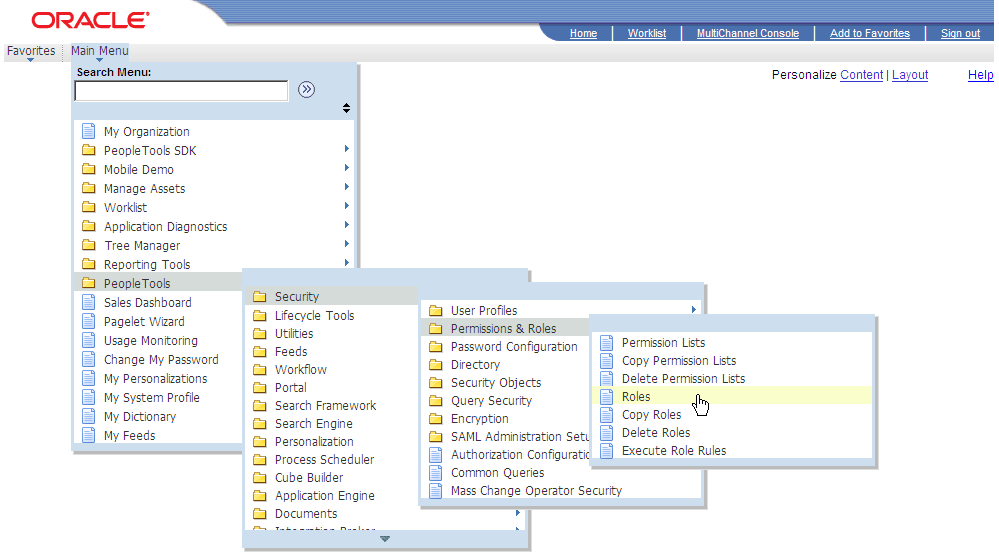
Access the Main Menu.
Note:
The Main Menu and all subsequent menus display only menu items that you are authorized to access.
-
Click a folder label to open its submenu.
-
Click a link to open the resource in the content area.
Note:
If you click the folder icon instead of the label, the navigation page appears.