Using the Quick Access Bar
The quick access bar (QAB) appears in the banner and provides quick access to your recently visited items and your favorites. These items displayed in the quick access bar are the same as those displayed via the Recently Visited and Favorites tiles displayed in the NavBar. The quick access bar is displayed by default on all fluid homepages, dashboards, and transaction pages; however, it can be disabled system-wide by your system administrator.
On the quick access bar, you can also access the Accessibility button which you can use to enable screen reader mode, view keyboard shortcuts, and access additional Accessibility Help information configured within the application. See Accessibility Guide: Using the Accessibility Button in Fluid.
Note:
The Accessibility button is not available in QAB on classic pages, activity guide-based components, navigation collections, and on search pages.
By default, the recently visited, favorites, and accessibility items appear in QAB. However, your system administrator can individually disable these items so that they do not appear in QAB system-wide, that is, on all fluid homepages, dashboards, transaction pages, and classic pages (which by default does not show the accessibility button) where QAB is displayed. For example, if the recently visited or favorites item is included as a section on your homepage, the system administrator may choose not to present it in QAB. These changes do not affect the display of recently visited or favorites items on the NavBar.
The quick access bar can be reverted to appear on the left of the homepage (similar to PeopleTools 8.59); however, it can be performed by your system administrator. See Portal Technology: Assembling Branding Themes.
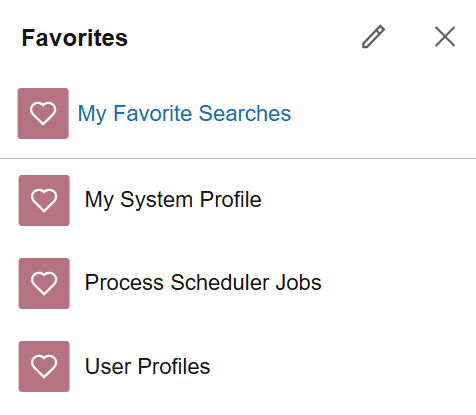
For example, your favorites are available in the quick access bar:
Note:
On small form factor devices, the quick access bar is displayed at the bottom of the page instead of on the banner and the Accessibility button is available only on the homepage.
Related Topics