Working with Fluid Component and Keyword Search
With component search, you run searches against application data in the database using search keys that you can enter on the fluid component search page. Using keyword search, you can run a free text search against indexed data in the PeopleSoft Search Framework search engine.
You can use configurable search to configure the presentation of search pages for an individual component or system-wide. PeopleTools delivers a default search page for fluid components, which you can configure to suit your business requirements.
Refer to the documentation on configurable search Search Technology: Understanding Configurable Search.
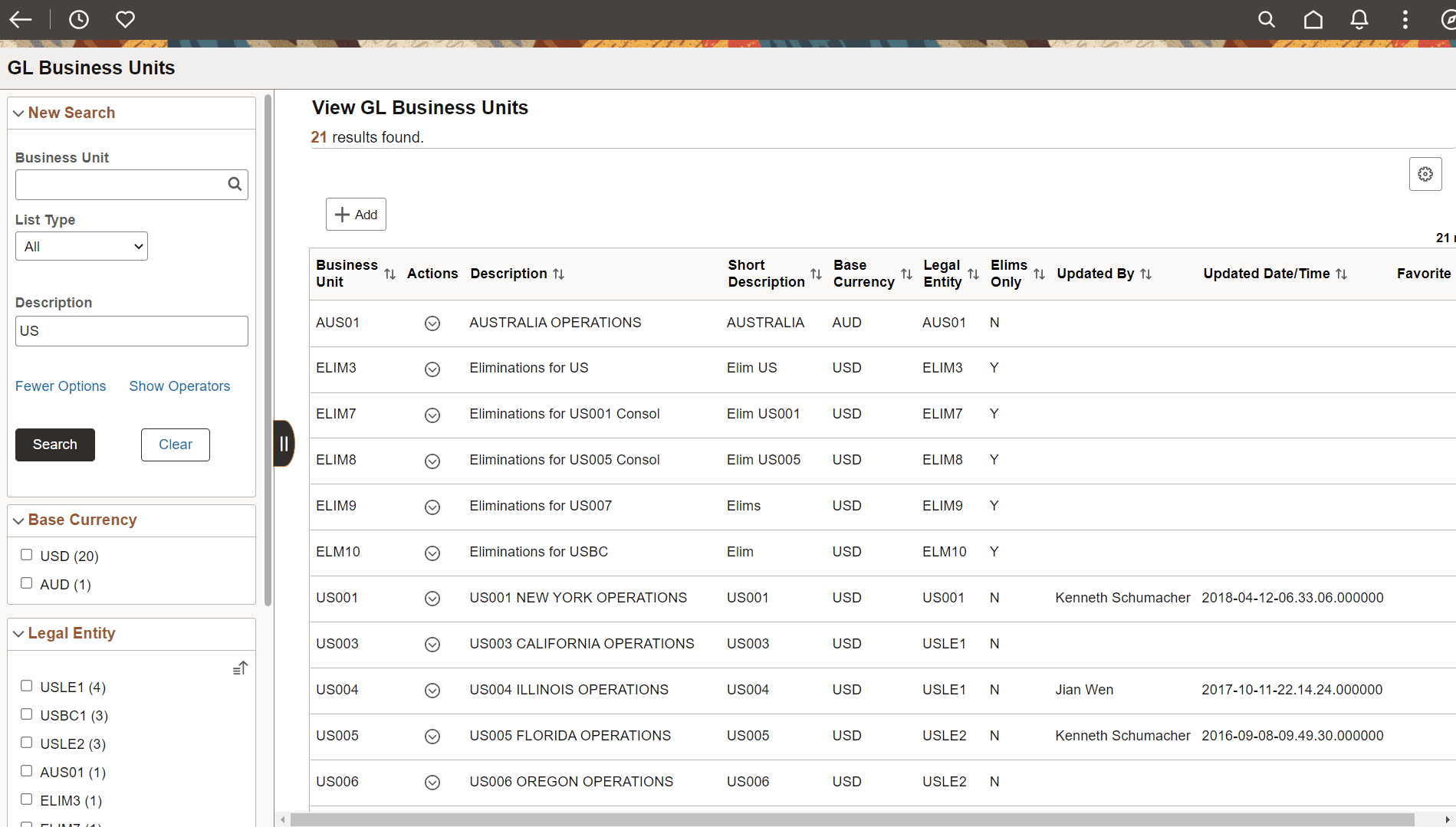
The following example illustrates searching for data in a fluid component.
To submit a keyword search, click the Global Search button in the fluid banner. The search category selector will display the search category associated with the current component. Enter your keyword search item in the search keyword input field. Click the Advanced Search button to perform the search.
Search results for both the component search and the keyword search appear on the same search results page.