Adding Configuration Plug-ins to Plug-in Groups
When adding a new plug-in to a template, you can add it to a plug-in group (either new or existing group), which makes the plug-in a member of the repository. When the plug-in is available in the repository, the plug-in can:
-
Be executed through PIA.
-
Have its dependencies resolved dynamically.
A plug-in group is a functional grouping of plug-ins. For example, Integration Broker plug-ins related to gateway configuration belong to the plug-in group IB Gateway Configuration.
Access the Manage Plug-in page to add a plug-in to a plug-in group.
This example illustrates the fields and controls on the Manage Plug-ins page.
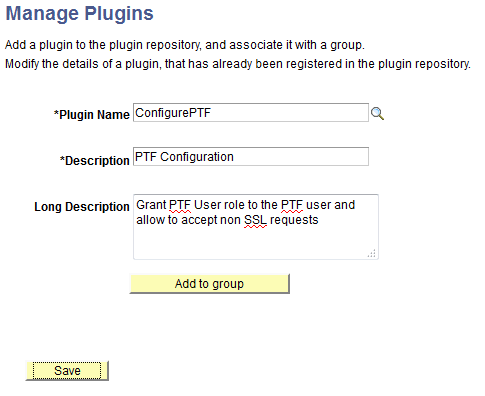
Select the plug-in by clicking search from the Plug-in Name. field. Click Add to group to add the plug-in to a plug-in group.