Managing Plug-ins within a Plug-in Group
Plug-ins can be added to an existing group or a new group according to the functionality of the new plug-in.
Access the Plug-in Groups page to manage plug-in groups.
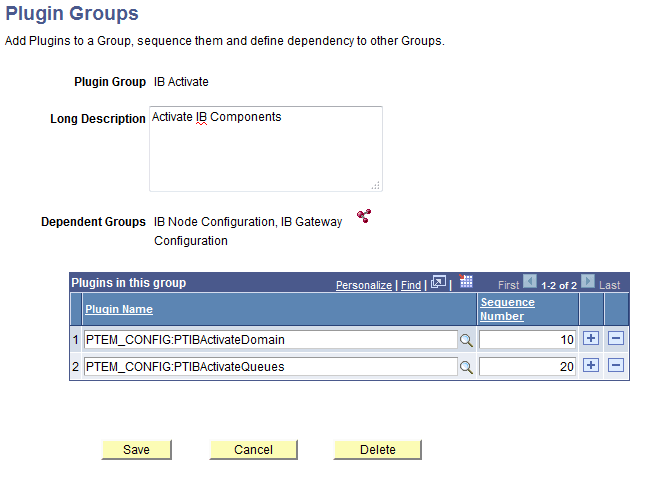
This example illustrates the fields and controls of the Plugin Groups page.
| Term | Definition |
|---|---|
|
Dependent Groups |
Displays the dependent groups. Click the Add dependent groups icon to modify the list of dependent groups. |
|
Plug-in Name |
Select the plug-in names to add to the plug-in group list. |
|
Sequence Number |
Specifies the order of execution of the plug-ins within the group. The order of adding plug-ins dynamically to the template while resolving dependency is based on this sequence number. |