Adding a Template to a Permission List
After you create a template, you must add the template to a permission list. PeopleTools provides the PTPT4800 specifically for the purpose of automated configuration.
Use the ACM Templates page to add a template to the PTPT4800 permission list.
Access the ACM Templates page by using the following navigation path:
and click the ACM Templates tab.
This example illustrates the fields and controls on the Permission Lists - ACM Templates page.
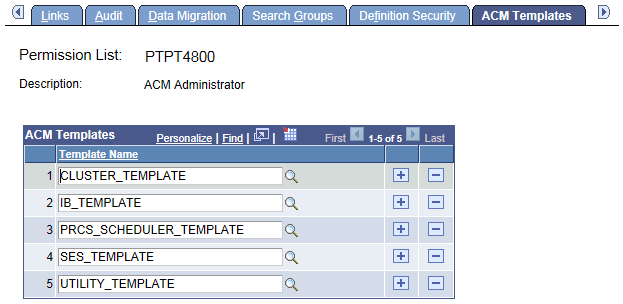
Add a template to the permission list.
Note:
If a template is not added to the PTPT4800 permission list, you cannot use the template for a configuration run.