Importing a Template Using PIA
Use the Configuration Template Import page to import a template file.
Access the Configuration Template Import page by using the following navigation path:
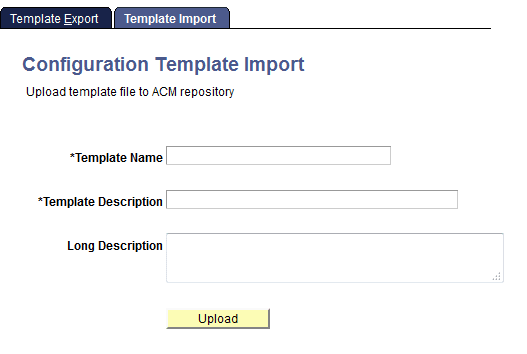
This example illustrates the fields and controls on the Configuration Template Import page. You can find definitions for the fields and controls later on this page.
| Field or Control | Description |
|---|---|
|
Template Name |
Add a template name to uniquely identify the imported template. |
|
Template Description |
Add a description to identify the purpose of the template. |
|
Long Description |
If further information is provided to describe the purpose of the template or the configurations it controls, add here. |
|
Upload |
Click to upload the template text file. A dialog box appears enabling you to select the file from a network location and upload it. |
Note:
When a template is imported into an environment (from a text file), it is assumed that all passwords contained in the template file are encrypted, so the decrypt_password property in the template file must be set to True.