Importing Template Variables
When creating new templates, it can be helpful to import existing template variables from another template if you require them in your new template. In this case, you are copying established and tested template variables from one template to another.
Note:
If the target template already has a template variable defined that is imported from another template, then that variable is ignored.
To import a template variable:
-
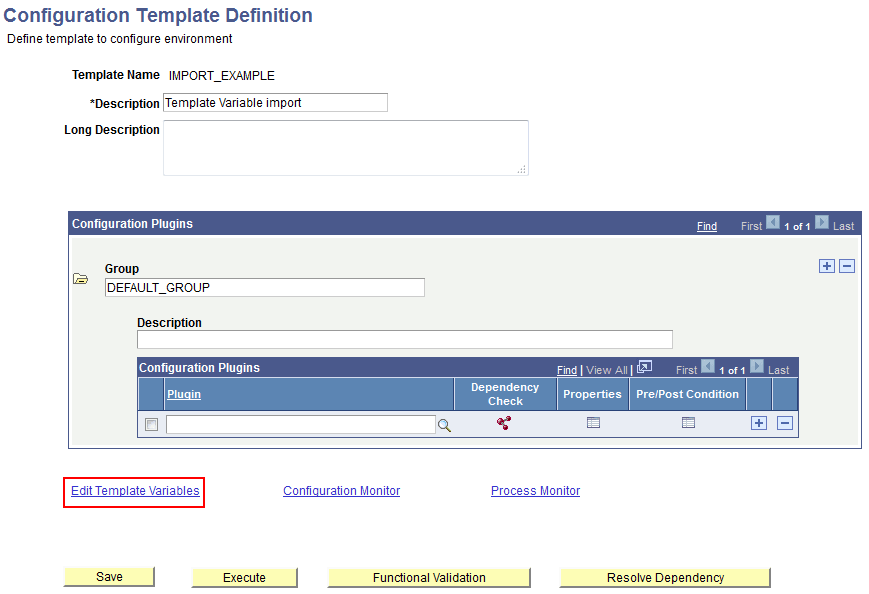
Open the target template definition, and on the Configuration Template Definition page, click Edit Template Variables.
This example illustrates where to find the Edit Template Variables link.
-
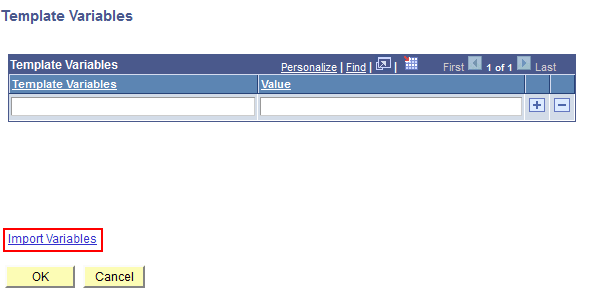
On the Template Variables page, click Import Variables.
If the template is new, the Template Variables page will be empty
This example illustrates an empty template variable page. To populate the page with template variables from an existing template, click Import Variables.
-
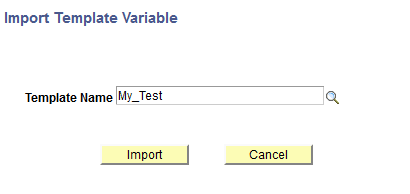
On the Import Template Variable page, select the source template name, from which you want to import template variables, and click Import.
This example illustrates selecting an existing template as a source template from which you can import template variables into a target template.
-
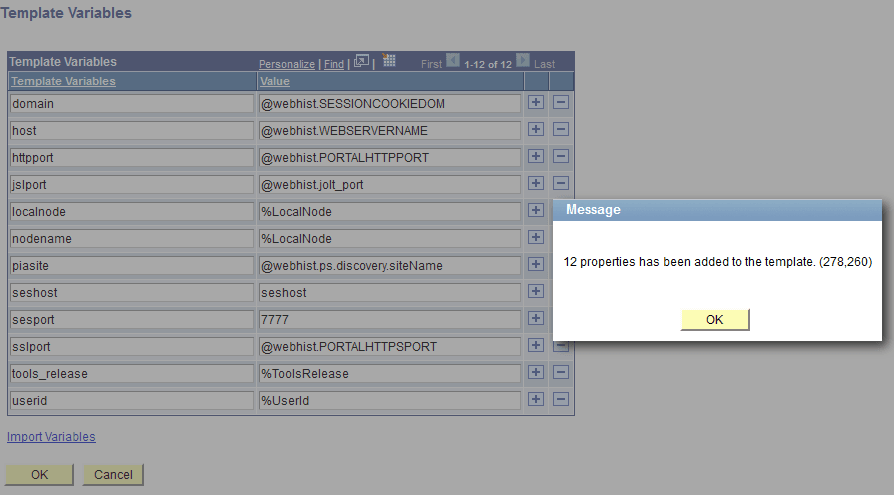
Confirm the template variables that you require have been imported to the target template, and click OK.
This example illustrates the previously empty template variables page now populated with template variables imported from an existing template.