Configuring Properties for RTI
The Enable Real Time Indexing plug-in on Configuration Template Definition page enables RTI and runs trigger SQL scripts automatically for the configured Search Definitions.
Access the Configuration Template Definition page using the following navigation path:
This example illustrates the fields and controls on the Configuration Template Definition page.
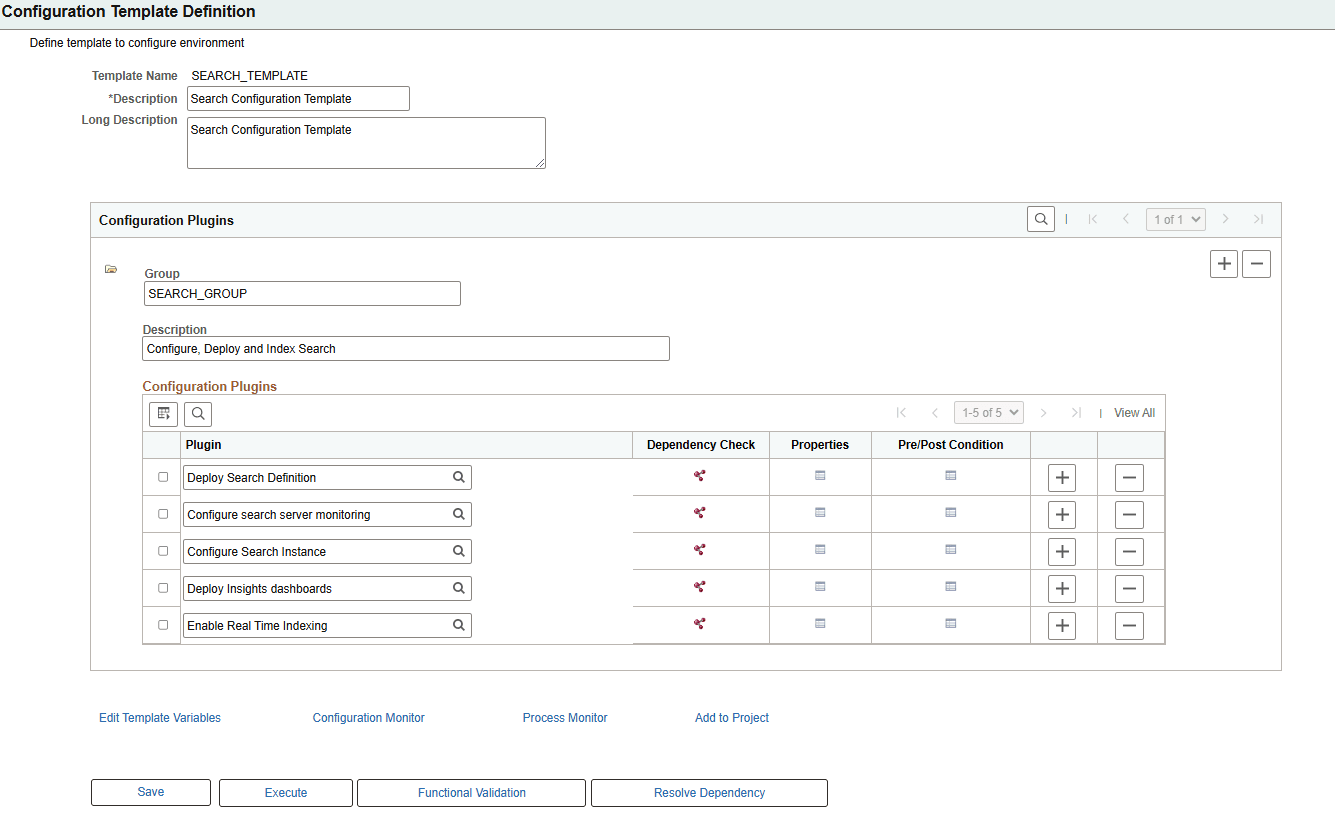
To select the search definitions to be enabled or disabled, click Properties corresponding to the Enable Real Time Indexing plug-in. The Configuration Properties page appears, where you can configure the plug-in properties.
Note:
This plug-in must be activated only on a need basis by an administrator with Automated Configuration Manager (ACM) access privileges. The PeopleTools upgrade process does not use ACM.
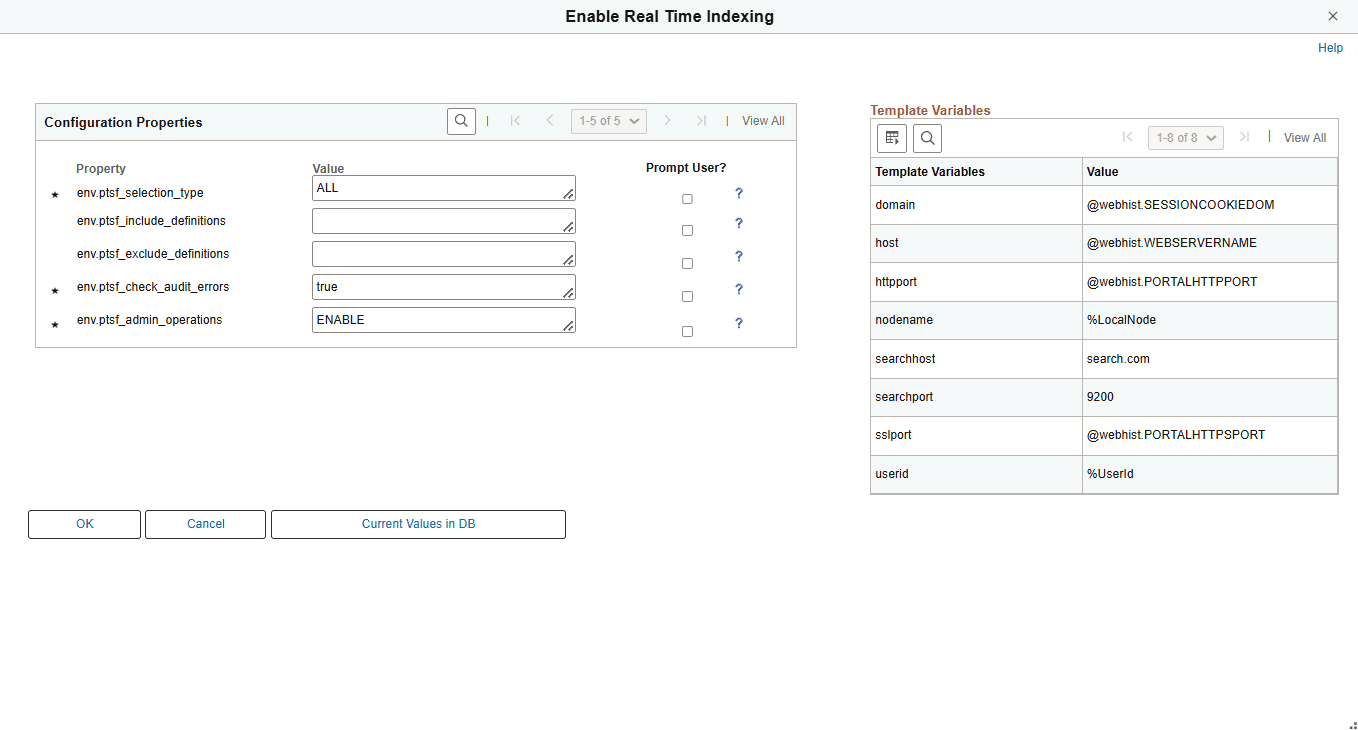
This example illustrates the fields and controls on the Configuration Properties page for Real Time Indexing. Definitions for the fields and controls appear following the example.
| Field or Control | Description |
|---|---|
|
env.ptsf_selection_type |
Select the type of search definition to be enabled. The available values are ALL (default) and LIST. When you select ALL, all the configured search definitions are enabled and available for Real Time Indexing. When you select LIST, you can include additional search definitions which do not have an existing configuration. SQL trigger scripts are run for all the enabled search definitions. |
|
env.ptsf_include_definitions |
Enter non-configured search definitions as a comma-separated list to enable or disable them based on the value defined in env.ptsf_admin_operations. |
|
env.ptsf_exclude_definitions |
Enter comma-separated list of search definitions to be selectively excluded from Enable/ Disable list, when the selection type is ALL. |
|
env.ptsf_check_audit_errors |
The default value is true. This field performs validation on the configurations after execution. If true check for access to query/connected query, or invalid objects and stop if errors found. |
|
env.ptsf_admin_operations |
The possible values are Enable (default) and Disable. Select Enable to enable RTI and run the trigger SQL scripts. Select Disable to disable RTI and drop the SQL triggers. |