Editing Configuration Plug-in Properties
Use the Configuration Properties page to edit plug-in properties. You define properties and their values for a plug-in when you create the plug-in. When you create a template or run a configuration process, you may edit the property values.
Access the Configuration Properties page using the following navigation path:
and click the Properties icon for a configuration plug-in that you want to edit.
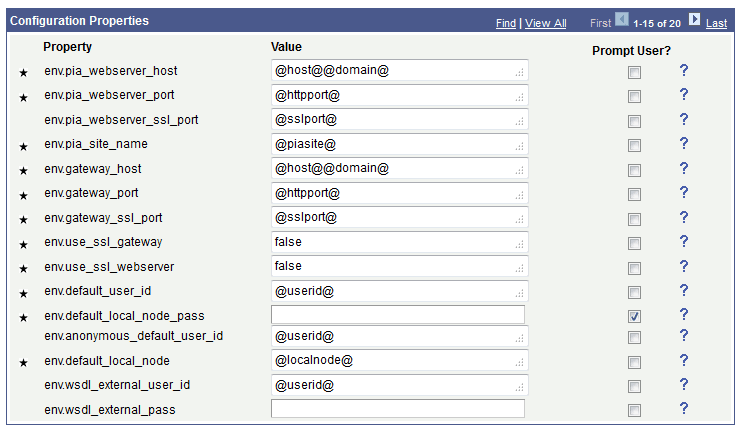
This example illustrates the fields and controls on the Configuration Properties page. You can find definitions for the fields and controls later on this page.
Note:
Property values enclosed within @ indicates that these values are supplied by template variables at run time. To edit a template variable, click the Edit Template Variables link on the Configuration Template Definition page.
| Field or Control | Description |
|---|---|
|
|
Indicates a property that is required and a value must be defined. |
|
Prompt User |
Select the Prompt User check box if you want a user to enter a value at run time. Generally, a prompt for a user to enter a value is required for user name or password. |
|
|
Hover over the help icon to view a description of a property. |
|
Current Values in DB |
Click the Current Values in DB button to review the current values in the database for the properties. Initially, the values for properties are defined when creating a plug-in. Subsequently, if you modify the values, the modified values are displayed when you click the Current Values in DB button. |

