Setting Security Options
Access the Security page (Select .)
This example illustrates the fields and controls on the Create BIP Report Definitions-Security page. You can find definitions for the fields and controls later on this page.
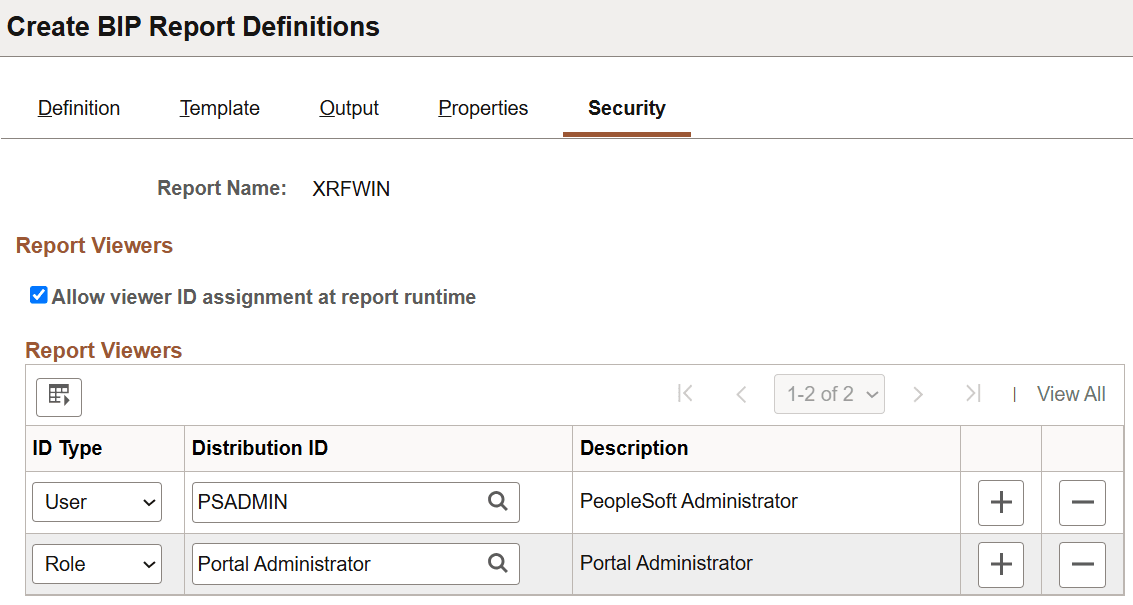
The Security page captures attributes regarding who can view web-posted output in the Report Manager repository and through the BIP Report Search page.
| Field or Control | Description |
|---|---|
|
Allow viewer ID assignment at report runtime |
Select to indicate that the report requestor can add users or roles to the standard distribution list on the Process Scheduler Request page, under the Distribution Detail link. The users and roles added in the report definition security tab will appear grayed out in the Distribution Detail page to disallow modifying the distribution items coming from the report definition. When there are no distribution items in the report definition or in the run control tables, the current user is added automatically. Note: If you are using security join tables to limit report distribution, leave this check box cleared. If you add a user or role at runtime, the associated users will be able to view all bursted reports for that report instance. |
|
ID Type |
Select an ID type of either Role or User ID. |
|
Distribution ID |
Select a corresponding distribution ID based on the ID type. |
|
Description |
Displays the related description of the distribution ID. |
Note:
The users and roles defined on this page can view all bursted reports. If you are using security join tables to limit report distribution, do not enter any roles or users on this page.