Creating a Change Package From the Pivot Grid
To use the pivot grid to select bugs for your change package:
-
Double-click the pivot grid.
-
Set the filters to use.
You may want to include the filter for Unapplied.
-
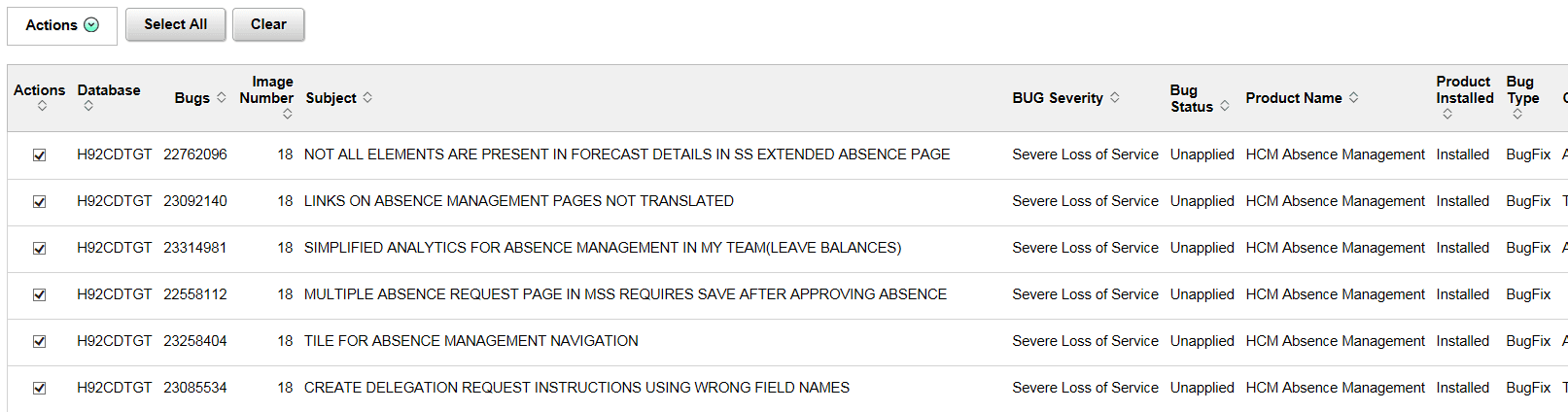
Review the bugs listed in the grid and select the Action check box for the bugs you want to include in your Change Package.
This example illustrates bugs selected to add to a change package.
-
Click the Actions drop down and select Add to Change Package.
-
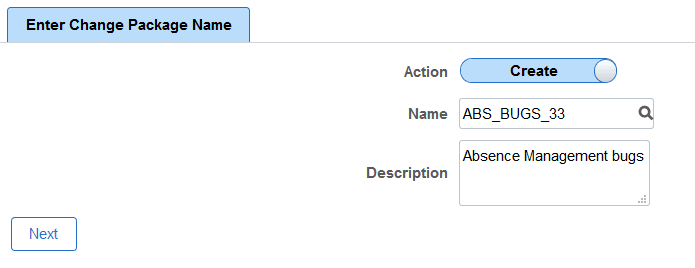
The Enter Change Package Name page is displayed.
This example illustrates the fields and controls on the Enter Change Package Name. You can find definitions for the fields and controls later on this page.
Field or Control Description Action
By default the action is Create. If you want to add the bugs to an existing Change Package that has not been applied, select Edit.
Name
Enter a name for the change package. If the action is Edit, select an existing package.
Description
Enter a description.
-
Click Next.
-
The change package wizard will open on Step 6 of 6.