Define Update Package Wizard Step 1 of 6
Custom change packages are created on to your PUM Source Database.
Navigation:
On to your PUM Source Database, select
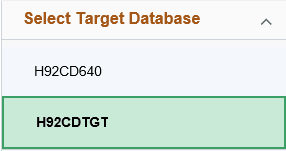
All environments that were selected as target databases in Change Assistant Wizard and uploaded to the PUM Source will be displayed in the list. This list is also filtered by UserID.
This example illustrates the fields and controls on the Select Target Database.
Note:
The target database information is uploaded to the PUM source database when you select the Upload Target Database Information to PUM Source. See Uploading Target Database Information
If you only have one database, it is selected by default.