Define Upgrade Package Step 3 of 6
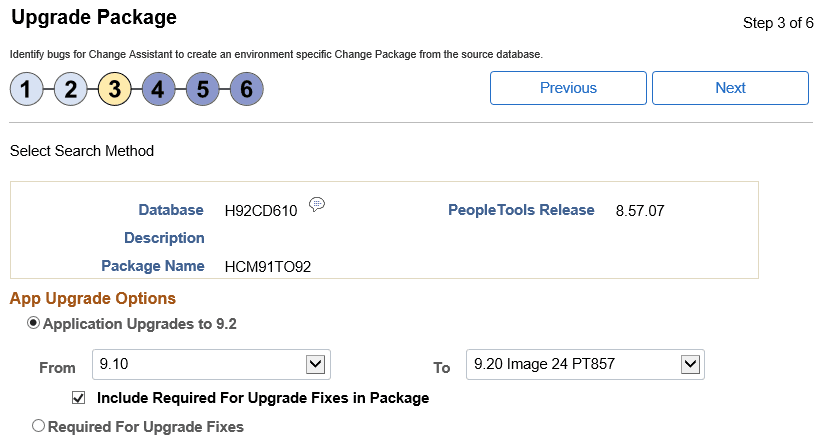
Select which App Upgrade Option to use. By default Application Upgrades to 9.2 is selected.
This example illustrates the fields and controls on the Upgrade Package Step 3 of 6 page. You can find definitions for the fields and controls later on this page.
App Upgrade Options
| Field or Control | Description |
|---|---|
|
Application Upgrades to 9.2 |
Select this radio button to create an application upgrade package (UPG). Select the From release from the drop down list. Select the Select the To path which will align with the Upgrade Certified Image, for example 9.2 Image 10 from the drop down list. By default Required for Upgrade Fixes will be included in the package. Note: When you select this option 2 change package definitions are created UPG and RFU. |
|
Required for Upgrade Fixes |
Select this radio button to create a Required for Upgrade (RFU) package. Note: When you select this option only 1 change package is created RFU. |