Define Upgrade Package Step 2 of 6
Enter a name and description for the Upgrade Package.
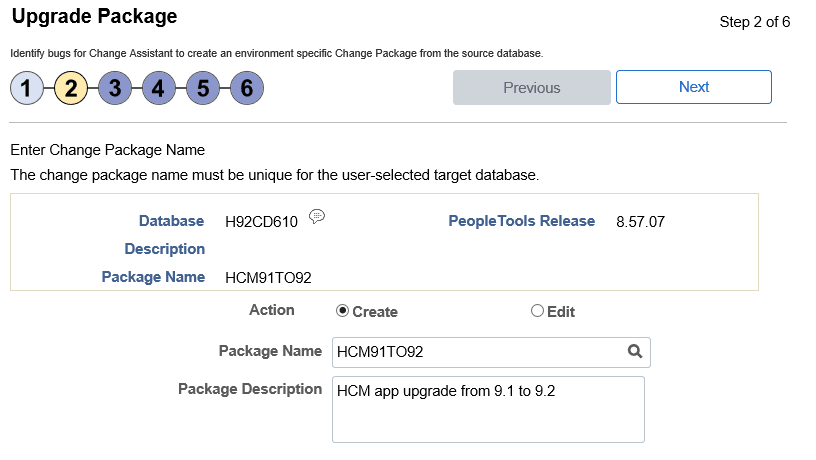
This example illustrates the fields and controls on the Upgrade Package Step 2 of 6 page. You can find definitions for the fields and controls later on this page.
| Field or Control | Description |
|---|---|
|
Package Name |
Enter a name for your upgrade package. To edit an existing change package, select the Lookup button. The list of change packages that can be edited is restricted as follows:
If the package name already exists, the Change Package Options page will be displayed. See Define Update Package Wizard Step 2 of 6 |
|
Package Description |
Enter a description for the upgrade package. |