Defining Change Package
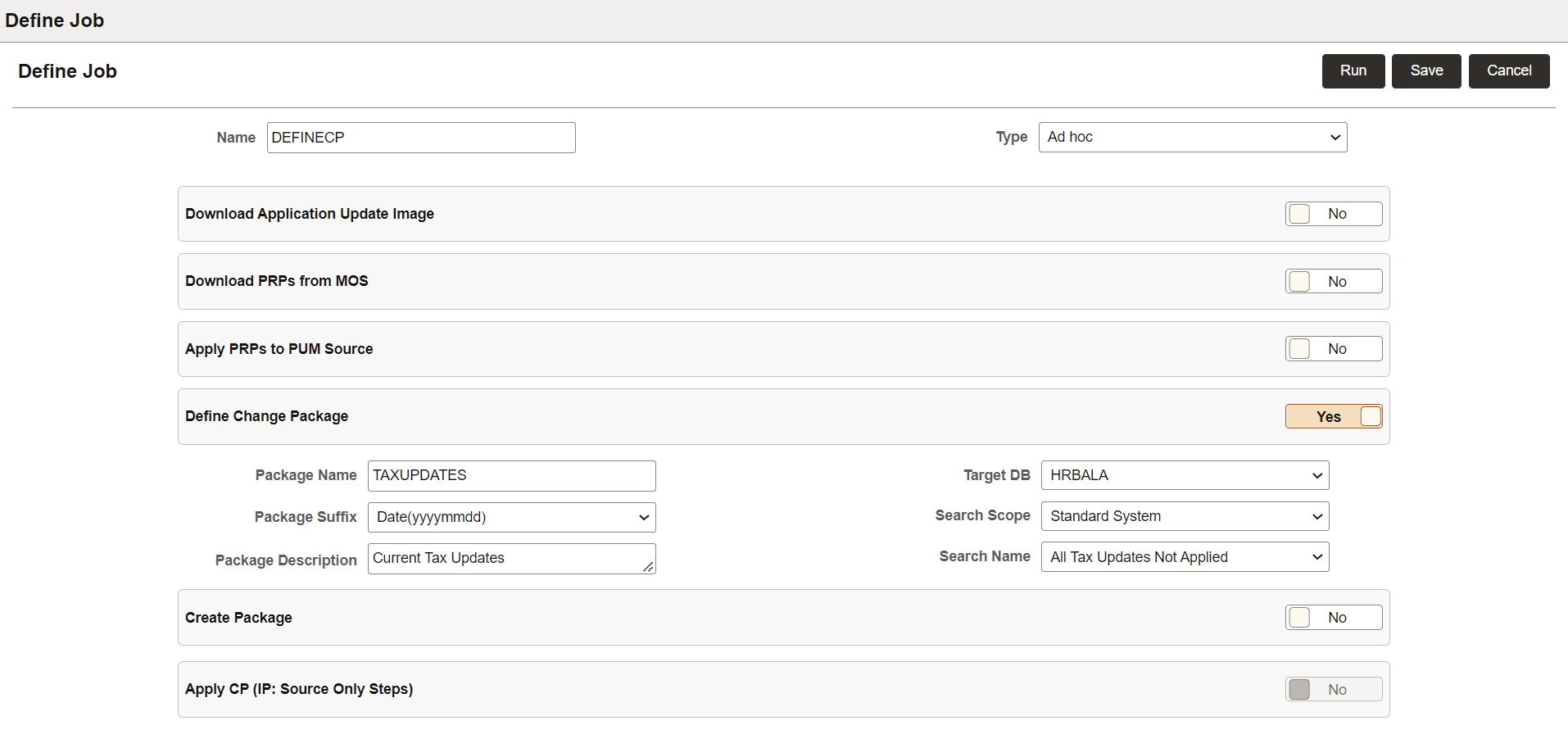
When you select to Define a Change Package, you will need to enter additional information.
After you Save the job, you can run the job directly from this page using the Run button.
This example illustrates the fields and controls on the Define Job page for defining a change package PAU job.
| Field or Control | Description |
|---|---|
|
Package Name |
Enter a name for the change package. |
|
Package Suffix |
Select a suffix, choices are:
|
|
Package Description |
Optionally add a description. |
|
Target DB |
Select the target database from the drop down list. |
|
Select the Search Scope |
Search Scope choices are:
|
|
Search Name |
Select the search name from the drop down list. |