Downloading Application Update Image DPKs
On the Define Job page, select Download Application Update Image.
You can run a job for this Download Application Update Image task on an ad hoc or scheduled basis.
Note:
The Download Application Update Image task cannot be combined with other tasks, such as, Create Package. It requires a separate job to run.
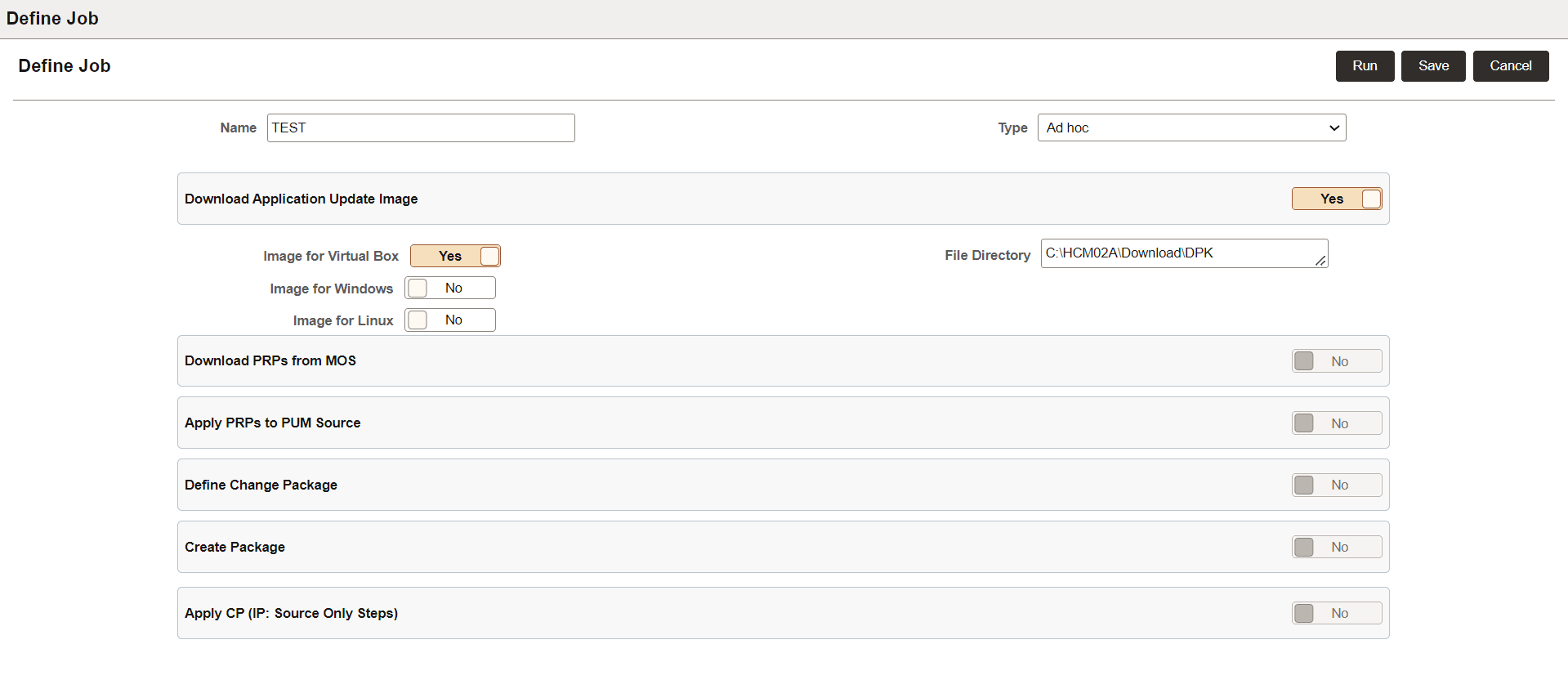
This example illustrates the fields and controls to download Application Update Image DPK.
| Field | Description |
|---|---|
|
Image for Virtual box, Image for Windows, Image for Linux |
The three types of Application DPKs or Update Image patch sets that is available for download. |
|
File Directory |
Specify the directory to download the DPK. It can be any relevant path in Process Scheduler to which PAU has access. It can be a local path or network path (Windows or Linux machine). In Windows, it is not recommended to use mapped shared folder as download location for the PAU DPK. If shared folder path is provided, it is recommended to provide the complete UNC path. Example of UNC path is, \\server-name\shared-resource-pathname. This directory is validated to check if sufficient space is available on file system for the current download job. |
Note that when any PAU job runs, the other PAU jobs, such as download or apply PRP and create or define Change Package, are in queue.