Defining Filter Queries
The Define Filter Queries page is used to define the actual filter queries. The grid is displayed in read-only mode and always contains a minimum of one row in the view.
-
To add a new filter query, right-click and select Add New Filter Query.
-
To delete an existing filter query, right-click on the row and select Delete Selected Filter Query.
-
To update an existing filter query either:
-
Right-click on the row and select Edit Selected Filter Query.
-
Double click on the row.
-
Defining Filter
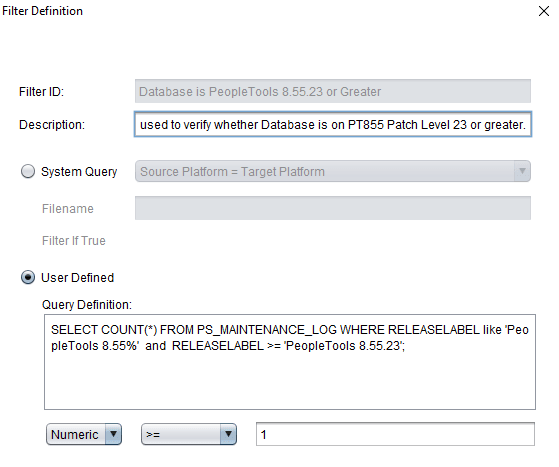
Use the Filter Definition dialog box to define the filter.
This example illustrates the fields and controls on the Filter Definition dialog box. You can find definitions for the fields and controls later on this page.
| Field or Control | Description |
|---|---|
|
Filter ID |
The Filter ID must be unique within the Filter Query step. The Filter ID value in conjunction with the Script/Procedure name is used to ensure uniqueness within the template. For example: Filter1–AP Check. |
|
Description |
Enter a description for the filter query. |
|
System Query |
Select this radio button to use a system queries. System queries include:
|
|
User Defined |
Select this radio button to type your own query definition. |
|
Query Definition |
Enter the SQL statement for the query. Special filter queries are also available as described in the next section. Note: The SQL statement must be a select statement, however the select statement is not validated. |
|
Filter if True Value |
The Filter if True Value can be a numeric or a string. Valid operator are:
For a single filter query, when the Filter if True Value is True then the associated step will be filtered. |