Defining an Upgrade Path
Before you can define data conversion sections, you must define an upgrade path.
To define an upgrade path:
-
From your browser, sign in to the Demo database.
-
Select .
-
The Define Upgrade Path page appears.
-
Click the Add a New Value tab.
-
Enter a value for Upgrade Path.
-
Click Add.
-
Select a value for Active Flag.
-
Enter description for the new upgrade path.
-
Click Save.
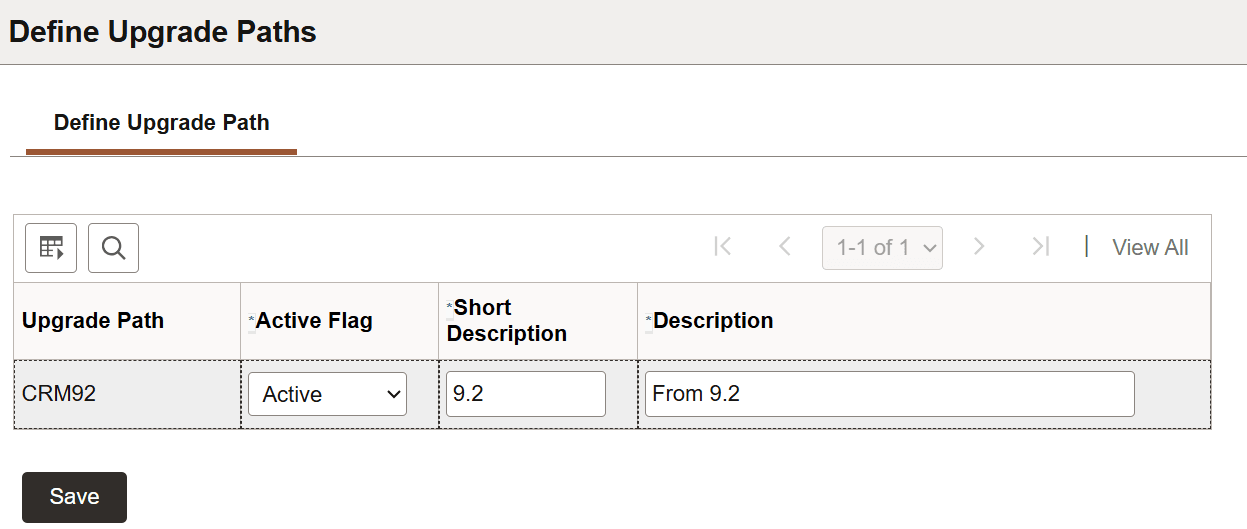
This example illustrates the fields and controls on the Define Upgrade Path page.
After you have defined an upgrade path, you can add sections for the upgrade path on the Define Data Conversion page.