Deploying Insights Dashboards
After you create, consolidate, and preprocess the metadata required for Insights, deploy the dashboards to make the Insights available.
Use the Deploy Insights Dashboards page to deploy the dashboards.
Select .
You can deploy the following dashboards:
-
My Customization Groups
-
My Customized Objects
- Customization Insights Dashboard
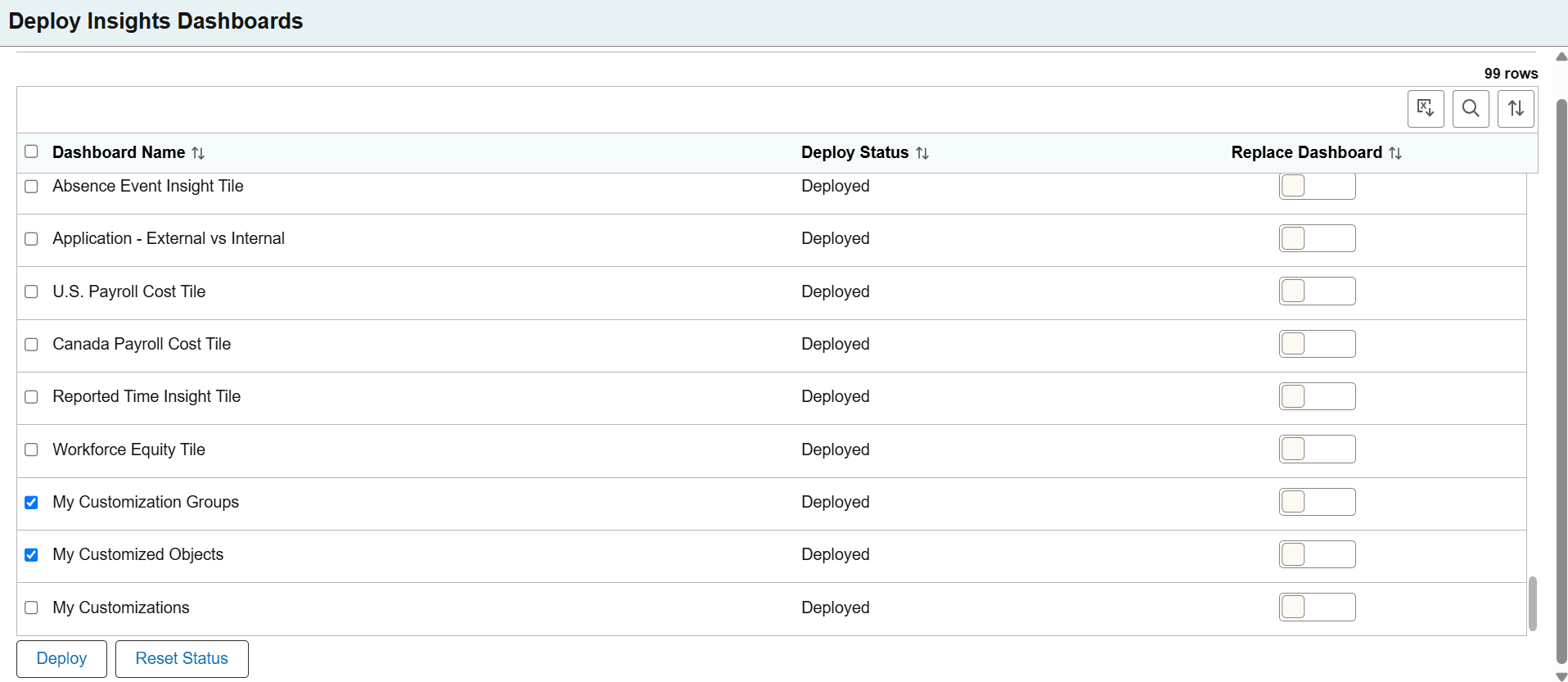
This example illustrates the fields and controls on the Deploy Insights Dashboards. You can find definitions for the fields and controls later on this page.
| Field or Control | Description |
|---|---|
|
Dashboard Name |
The delivered dashboards are listed on the Deploy Insights Dashboards page. |
|
Deploy Status |
Displays the status of the dashboard, that is, as deployed or undeployed. |
|
Replace Dashboard |
If you modify a dashboard after it has been imported to PeopleSoft, use the Replace Dashboard button to overwrite the dashboard that already exists in OpenSearch Dashboards server. When you enable this button, it copies the dashboard to the OpenSearch server and replaces the new dashboard in the target environment. By default, it is disabled. When you select a single dashboard and the Replace Dashboard button is not enabled, a popup appears with the option to replace the dashboard. |
|
Deploy |
Deploy button deploys the Customization dashboard to your instance of OpenSearch Dashboards. You can also use the deploy option when you migrate dashboards from one environment to another, for example, from a testing environment to the production environment. |
|
Reset Status |
Reset Status button resets the dashboard status from Deployed to Undeployed. The default dashboard status is Undeployed. The dashboard remains in OpenSearch Dashboards after a reset. |
Assign Roles to Access Dashboards
PeopleSoft applications assign certain roles to the delivered Customization dashboards that enable users to view and use the dashboards and visualizations.
To assign roles:
-
Navigate to .
-
On the User Profiles page, select the following roles:
- Lifecycle Updates: This role is required to access the Customization Insights dashboard.
- Lifecycle Tools: This role is required to access the Customization Insights dashboard.
- Customization Admin: This role is required to access Customization Group and My Customized Objects dashboards.
- Customization User: This role is required to access the Customization Group dashboard.
-
Lifecycle Updates: With this role you can access the Customization Insights dashboard.
-
LifeCycle Tools: With this role you can access the My Customization Groups and My Customized Objects dashboards.