Resuming a Job
Select the Resume button on the Job Monitor page to resume a job.
You can resume a job:
-
If the job encounters a manual stop.
-
If a PRP fails with 'Applied with Warnings' status.
If the job encounters a manual stop, the user must mark the step as complete and continue to run the job.
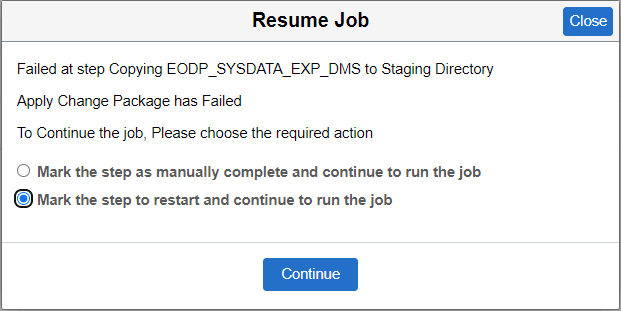
If the job fails for on a step in the template, the user can select to either Mark the step as manually complete and continue to run the job or Mark the step to restart and continue to run the job.
This example illustrates the fields and controls on the Resume Job. You can find definitions for the fields and controls later on this page.
Sometimes a PRP fails when a job stops with the 'Applied with warnings' status. Review the warnings to fix the issue and resume to apply the PRP from the Job Monitor page.