Viewing Job Monitor
Use the Job Monitor to monitor the status of job activities, logs, and download logs.
To view the Job Monitor, from the on the Manage Jobs page either click the row for the job or use the > icon.
This example illustrates the fields and controls on the Job Monitor page. You can find definitions for the fields and controls later on this page.
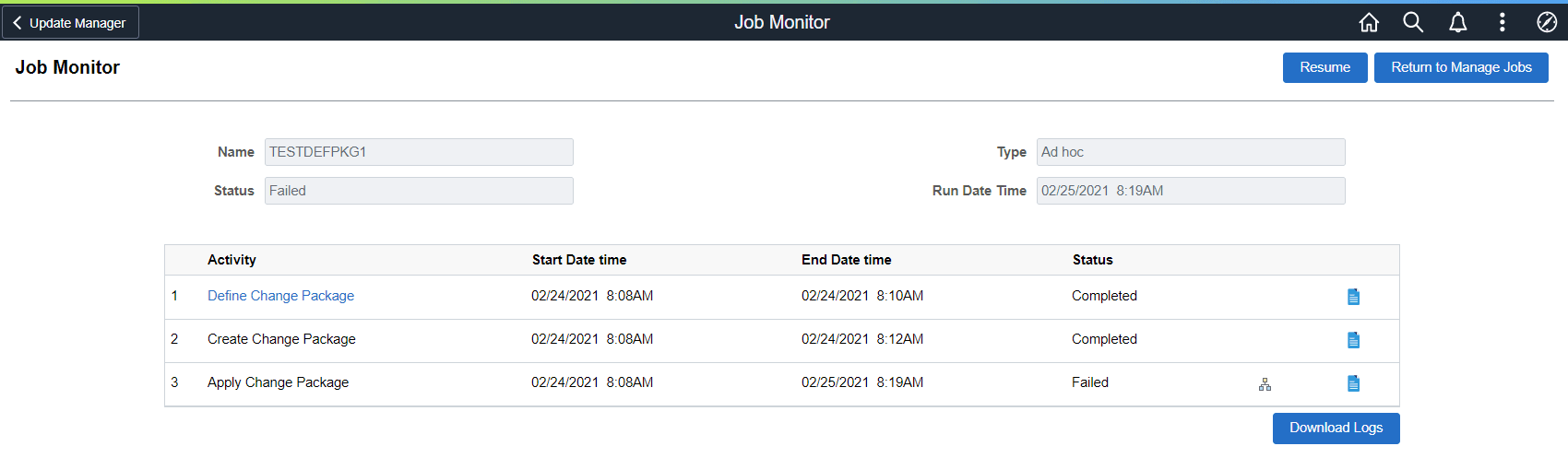
| Field or Control | Description |
|---|---|
|
|
Select to view the job template. |
|
|
Select to view the job log. |
|
Download Logs |
Select to download a zip file which includes all the logs for the job. |


This example illustrates the fields and controls on the Job Detail Template. You can find definitions for the fields and controls later on this page.
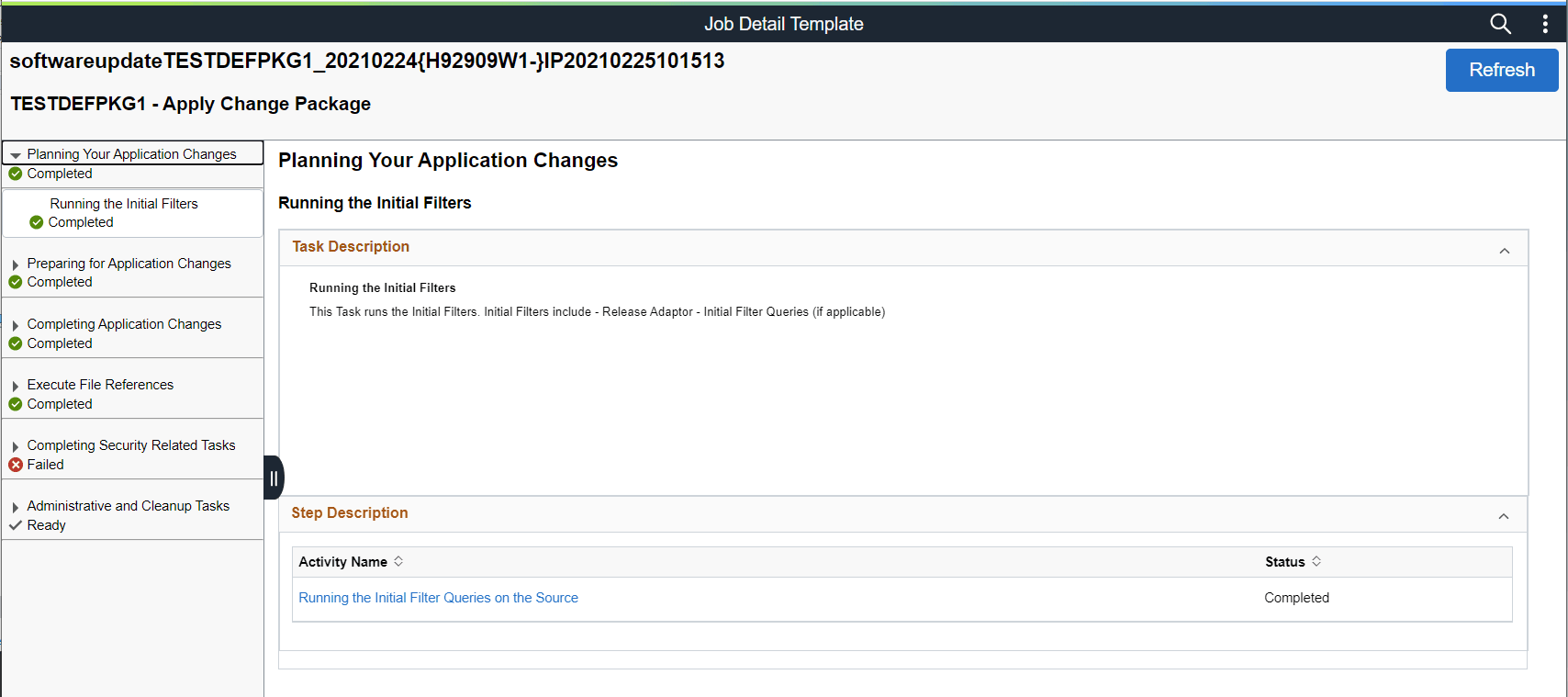
The list of chapters, tasks and steps are listed on the left hand side of the page. Select the chapter, task or step to view.